
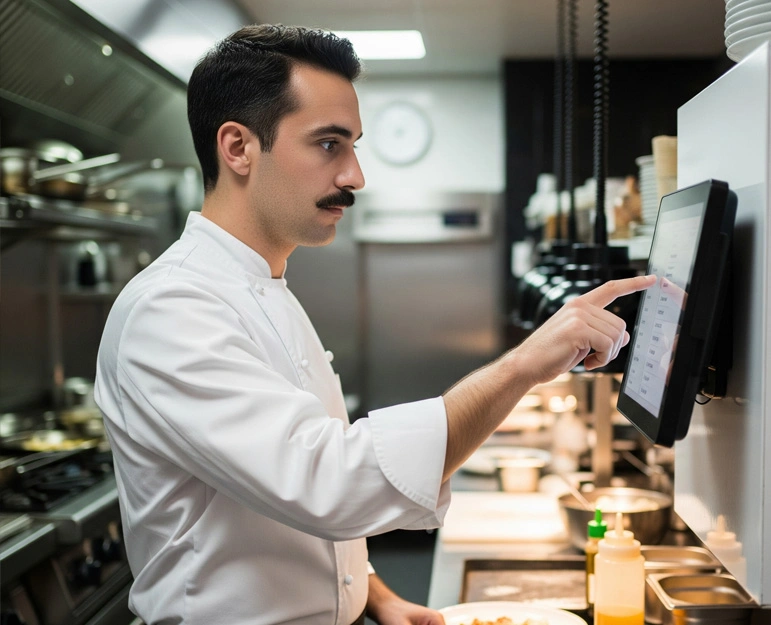
A restaurant running a POS solution without a connected kitchen display system only solves half the problem. That’s why more restaurants are moving to a POS with kitchen display system setup instead of running two disconnected tools. The POS handles the front of house. It takes orders, processes payments, and tracks sales. But the moment an order leaves the counter, a disconnected setup forces staff back to shouted tickets, printed slips, or sticky notes on a rail. As a result, orders get lost, tickets go missing, and customers end up with the wrong dish.
Pairing a POS software with a kitchen display system closes that gap. Together, they turn order-taking and food preparation into one continuous workflow. Instead of two separate systems, the restaurant runs one connected process.
What a POS with Kitchen Display System Actually Solves
Order accuracy is a documented problem across the industry, not just an occasional mishap. In fact, nearly 90% of consumers report receiving an incorrect food order at some point. Much of that traces back to manual handoffs between the front and back of house. A kitchen display system removes that handoff. It sends orders straight from the POS to the kitchen screen the instant staff places them, with modifiers, allergies, and special instructions attached exactly as entered.
The kitchen technology market reflects how seriously restaurants take this problem. Analysts project the global kitchen display system market to grow at roughly 11.2% a year between 2026 and 2035. Quick-service and fast-casual restaurants are driving much of that growth, as they push to improve throughput and cut order errors during high-volume service.
Why Restaurants Need Both, Not Just One
A POS alone can’t manage kitchen workflow. It’s built for transactions like ringing up items, applying discounts, and processing payments. Once staff places the order, the POS’s job is largely done. Without a KDS, that order still has to reach the kitchen through a printer, a call-out, or a runner carrying a slip.
A KDS alone can’t manage the business side, either. A kitchen display system organizes and prioritizes tickets well. However, it has no visibility into sales data, payment processing, staff scheduling, or inventory levels. So it needs a POS solution to feed it clean, structured order data in real time.
When the two work together, a few things happen that neither system can do alone:
- Orders route automatically from the point of sale to the exact kitchen station responsible for preparing them, whether that’s grill, fry, or cold prep.
- Modifiers and allergy notes travel with the order, reducing the risk of a ticket getting simplified or misread during a verbal handoff.
- Course timing syncs across the kitchen, so appetizers, mains, and desserts fire at the right moment instead of all arriving in the kitchen at once.
- Multiple order channels consolidate into one view. Dine-in, takeaway, and third-party delivery orders all land on the same display in the sequence they were received, instead of on separate printers competing for attention.
- Managers get real-time visibility into ticket times and kitchen bottlenecks, data a paper-ticket kitchen simply doesn’t generate.
The Operational Impact
Restaurants that connect their POS software with a kitchen display system typically see the benefit show up in three places:
- Speed of service. Orders reach the kitchen the moment staff enters them. This cuts the delay that comes from printing, walking, or relaying tickets verbally.
- Order accuracy. Fewer manual re-entries mean fewer chances for an item, modifier, or allergy note to get lost between the counter and the pass.
- Staff coordination. Color-coded, time-stamped tickets on a shared screen give kitchen staff a clear view of what’s next and what’s overdue, so no one needs to ask.
For multi-location or high-volume operations, this combination also generates data a paper-based kitchen can’t. Managers get average ticket times by station, peak-hour bottlenecks, and a clear read on which menu items slow down service. In other words, it’s information a manager can act on, not just observe.
Who Benefits Most
This pairing tends to matter most for:
- Quick-service and fast-casual restaurants, where order volume and speed expectations are highest.
- Multi-station kitchens (grill, fry, cold prep, bar) that need tickets split and routed to the right screen automatically.
- Restaurants juggling multiple order channels, including dine-in, takeaway, and third-party delivery apps, all of which need to land in one consolidated kitchen queue.
- Multi-location brands that want consistent kitchen performance data across every outlet.
A single-counter café with low order volume may get by without a KDS for longer. But once a restaurant adds a second order channel, a second kitchen station, or a second location, the case for connecting POS and KDS becomes hard to ignore.
Getting Started
If your restaurant currently runs a POS solution without a connected kitchen display, start simple. First, check whether your existing POS software already supports a native KDS integration. Moving to a single POS with a kitchen display system platform is usually easier than investing in a separate, standalone system. A connected setup, where the POS and KDS share the same platform, also avoids the sync issues and extra support overhead that come from stitching together two unrelated vendors.
Ready to see the difference for yourself? Book a free demo or start your free trial today and connect your POS software with a kitchen display system on one platform.
Frequently Asked Questions
What is the difference between a POS and a kitchen display system?
POS software handles order entry, payments, and sales reporting at the front of house. A kitchen display system receives those orders and displays them on a screen in the kitchen, replacing printed tickets and organizing preparation by station and priority.
Do small restaurants need a kitchen display system?
Smaller, single-station operations can sometimes manage with printed tickets, but even small kitchens see fewer errors and faster ticket times once orders route digitally, especially if they handle takeaway or delivery alongside dine-in.
Can a kitchen display system work without a POS?
Technically, some standalone KDS units exist, but they lose most of their value without a connected POS, since order data, modifiers, and payment status all originate at the point of sale.
How does a KDS improve order accuracy?
It removes manual handoffs. Orders travel from the POS to the kitchen screen exactly as entered, including modifiers and allergy notes, instead of being written down, printed, or relayed verbally.
Does a connected POS and KDS help with delivery orders?
Yes. Orders from third-party delivery platforms can route into the same kitchen display alongside dine-in and takeaway orders, giving kitchen staff a single queue instead of separate printers for each channel.
Is it better to buy POS and KDS from the same provider?
Generally yes. A POS and KDS built on the same platform sync in real time without middleware, while pairing two unrelated systems often introduces lag, integration costs, and separate support channels.