
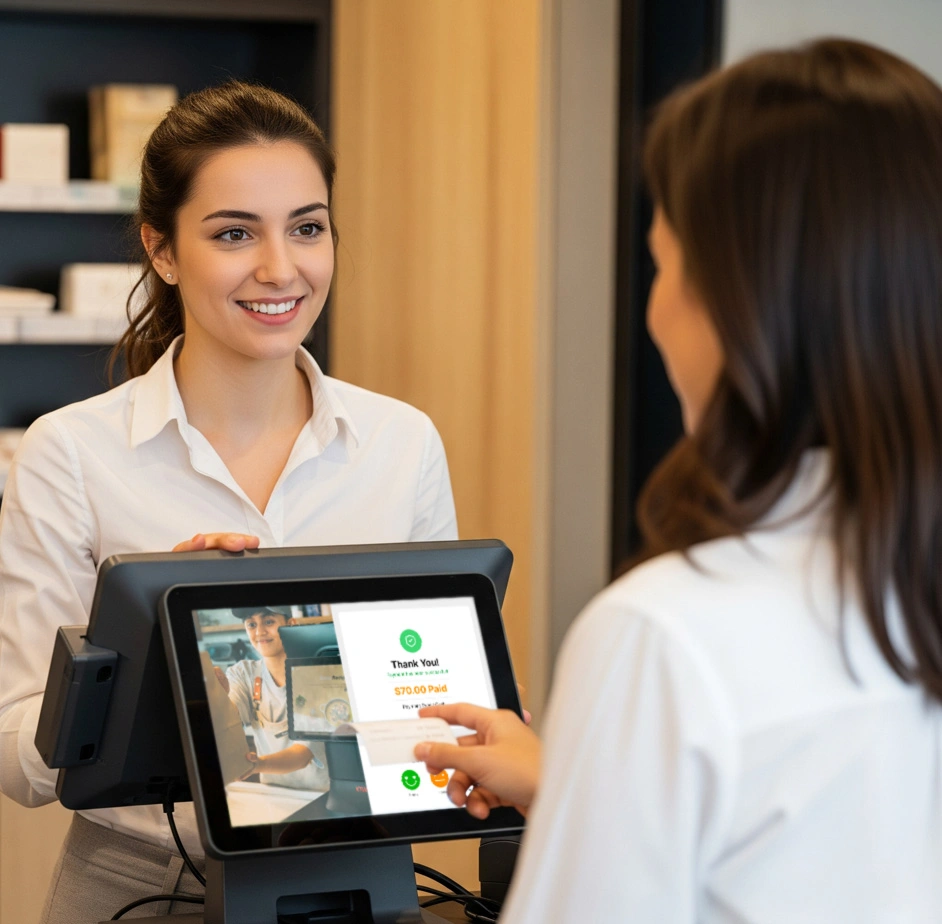
Ever watched a customer squint at the register, waiting to see the final number before they hand over their card? That small pause is doubt, and doubt, even for a second, chips away at trust. A real-time bill display removes that pause entirely, showing customers exactly what they owe as it adds up, item by item.
A customer display screen puts this real-time bill display in front of every customer. As items are scanned or an order is entered, the customer sees it happen line by line, in real time. No surprises at the end, no “wait, what was that charge for?”
Why a Real-Time Bill Display Builds Trust
Trust at checkout isn’t built with a receipt handed over after the fact. Customers build it during the transaction, watching their own bill add up. Billing stops being something that happens to them. It becomes something they’re part of.
This shift matters more than most retailers realize. A 2026 HubSpot survey of thousands of shoppers and marketers found that transparency has overtaken price as the single trait consumers value most in a brand. Businesses that openly shared pricing details saw measurably higher satisfaction scores (per Amra & Elma’s 2026 brand trust report). A customer who feels informed feels respected. And a customer who feels respected comes back.
The Hidden Cost of Checkout Without a Real-Time Bill Display
Without a real-time bill display, customers see only two things: the cashier’s screen, turned away from them, or a printed receipt at the end. That gap between “what am I being charged” and “here’s your total” is where doubt creeps in, even when nothing dishonest is happening.
A wrong price tag, a manager override, an extra item scanned twice: these small errors happen at every store. Staff usually fix them instantly. But if the customer finds out only after the fact, or has to ask, the fix doesn’t erase that flash of suspicion. Multiply that across hundreds of transactions a day. A store can quietly earn a reputation for feeling less trustworthy, even while doing nothing wrong.
A real-time bill display removes that gap by design. The customer sees the same running total the cashier sees, in the same moment. Doubt never gets a chance to form.
The Repeat-Customer Effect of a Real-Time Bill Display
First-time customers are naturally more cautious. They don’t yet know if a store rounds up, adds hidden fees, or fumbles totals. A real-time bill display answers that unspoken question before it’s even asked. Over time, that consistency turns a one-off visit into a habit. It also pairs naturally with other trust-building tools like a customer loyalty program that rewards customers for coming back.
This matters even more for businesses still building brand recognition. A well-known chain can lean on its reputation to earn a shopper’s benefit of the doubt. A newer or independent store doesn’t have that cushion. Every checkout is effectively a first impression. A real-time bill display helps smaller retailers earn trust fast, without years of brand history behind them.
How a Real-Time Bill Display Fits Into Modern POS Setups
A real-time bill display typically runs on a second screen connected to the same point-of-sale system the cashier uses. Both screens update together as items are scanned or an order is entered. Staff manage nothing extra. There’s no separate device and no manual step. This is what sets it apart from simply turning a cashier’s screen around. A dedicated display serves the customer’s view alone. It’s often larger, clearer, and sits at eye level.
Many setups go further and use the same screen for contactless QR code and NFC payments. Customers can view, confirm, and pay from one display. When the register sits idle between customers, the screen can rotate through promotions or offers instead of sitting blank. That turns a trust feature into a small marketing channel too.
Beyond the Bill: What Else a Display Screen Can Do
A real-time bill display isn’t the only job a second screen can do at checkout. The same display can also show contactless QR payment options or promote in-store offers during idle moments, turning a trust tool into a small revenue driver as well.
FAQ
Does a customer display screen slow down checkout? No. It runs in sync with the POS in real time, so it adds visibility without adding steps or delay to the transaction.
Is a customer-facing display only useful for large retailers? No. Small and mid-sized retail stores and restaurants benefit just as much, since first-time customer trust matters most when a business doesn’t yet have brand recognition to fall back on.
What’s the difference between a receipt and a real-time bill display? A receipt confirms a transaction after it’s done. A real-time display shows the transaction as it happens, which is what removes the moment of doubt before payment.
Can a real-time bill display be used for anything besides billing? Yes. The same screen can show contactless payment QR codes and rotate through promotions or offers when the register is idle between customers.
Does adding a customer display require new hardware for every till? Most POS setups support adding a display per checkout counter, syncing to the same order data as the main register, so it can be added counter by counter rather than as a full system overhaul.
The Takeaway
A customer display screen isn’t just a convenience. It’s a quiet, constant trust signal. It tells every customer, every time: nothing to hide, nothing to double-check.