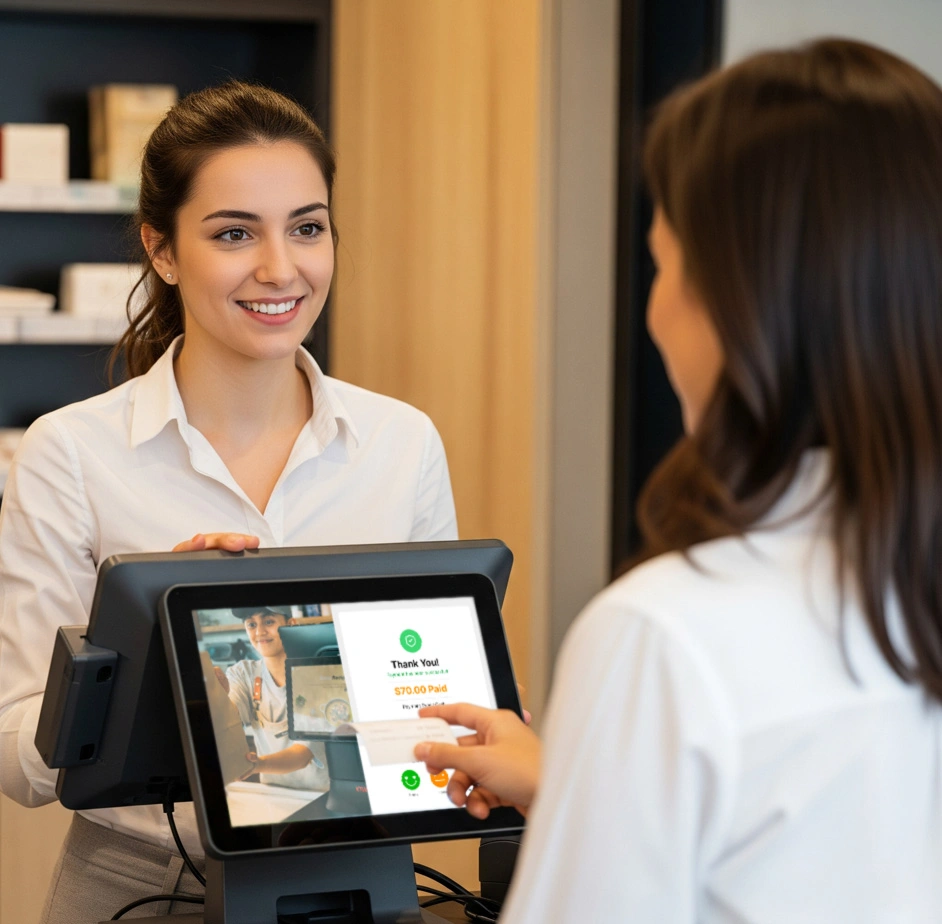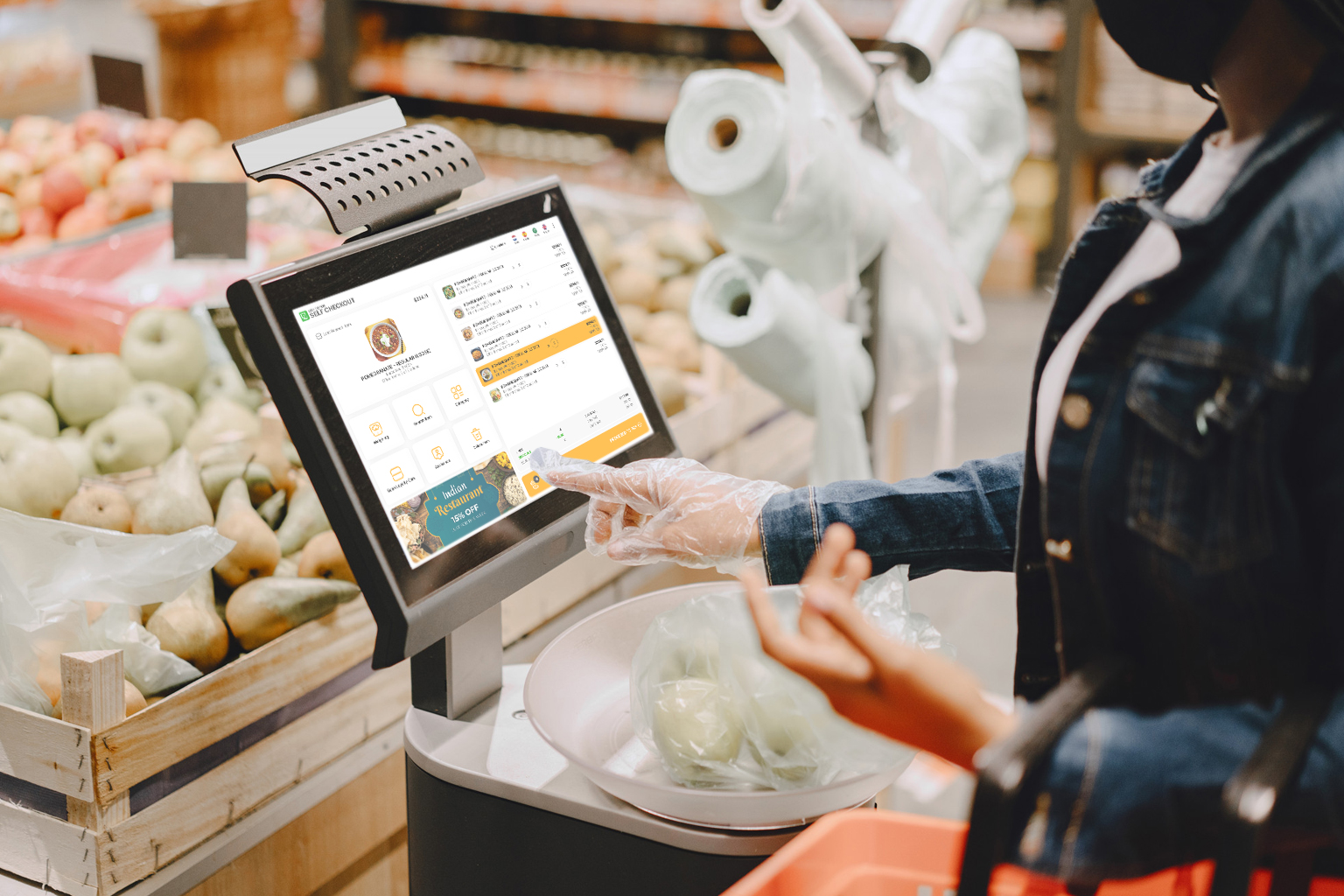
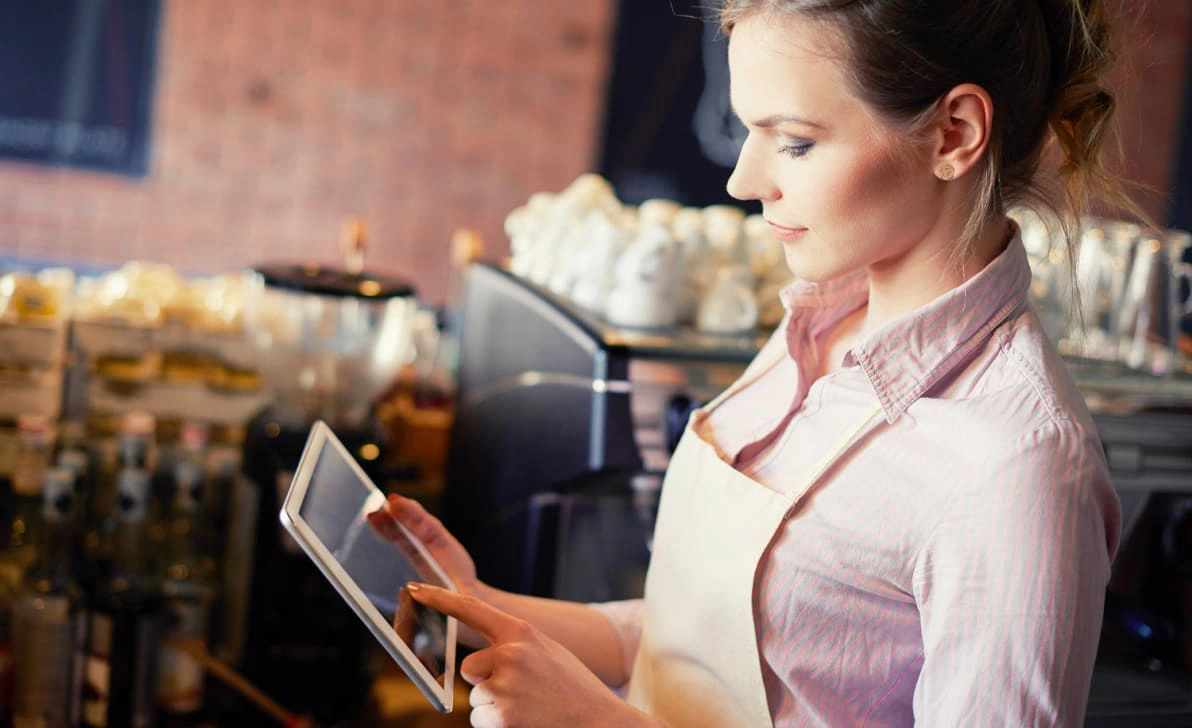
Ever watched a customer squint at the register, waiting to see the final number before they hand over their card? That small pause is doubt, and doubt, even for a second, chips away at trust. A real-time bill display removes that pause entirely, showing customers exactly what they owe as it adds up, item by item.
A customer display screen puts this real-time bill display in front of every customer. As items are scanned or an order is entered, the customer sees it happen line by line, in real time. No surprises at the end, no “wait, what was that charge for?”
Why a Real-Time Bill Display Builds Trust
Trust at checkout isn’t built with a receipt handed over after the fact. Customers build it during the transaction, watching their own bill add up. Billing stops being something that happens to them. It becomes something they’re part of.
This shift matters more than most retailers realize. A 2026 HubSpot survey of thousands of shoppers and marketers found that transparency has overtaken price as the single trait consumers value most in a brand. Businesses that openly shared pricing details saw measurably higher satisfaction scores (per Amra & Elma’s 2026 brand trust report). A customer who feels informed feels respected. And a customer who feels respected comes back.
The Hidden Cost of Checkout Without a Real-Time Bill Display
Without a real-time bill display, customers see only two things: the cashier’s screen, turned away from them, or a printed receipt at the end. That gap between “what am I being charged” and “here’s your total” is where doubt creeps in, even when nothing dishonest is happening.
A wrong price tag, a manager override, an extra item scanned twice: these small errors happen at every store. Staff usually fix them instantly. But if the customer finds out only after the fact, or has to ask, the fix doesn’t erase that flash of suspicion. Multiply that across hundreds of transactions a day. A store can quietly earn a reputation for feeling less trustworthy, even while doing nothing wrong.
A real-time bill display removes that gap by design. The customer sees the same running total the cashier sees, in the same moment. Doubt never gets a chance to form.
The Repeat-Customer Effect of a Real-Time Bill Display
First-time customers are naturally more cautious. They don’t yet know if a store rounds up, adds hidden fees, or fumbles totals. A real-time bill display answers that unspoken question before it’s even asked. Over time, that consistency turns a one-off visit into a habit. It also pairs naturally with other trust-building tools like a customer loyalty program that rewards customers for coming back.
This matters even more for businesses still building brand recognition. A well-known chain can lean on its reputation to earn a shopper’s benefit of the doubt. A newer or independent store doesn’t have that cushion. Every checkout is effectively a first impression. A real-time bill display helps smaller retailers earn trust fast, without years of brand history behind them.
How a Real-Time Bill Display Fits Into Modern POS Setups
A real-time bill display typically runs on a second screen connected to the same point-of-sale system the cashier uses. Both screens update together as items are scanned or an order is entered. Staff manage nothing extra. There’s no separate device and no manual step. This is what sets it apart from simply turning a cashier’s screen around. A dedicated display serves the customer’s view alone. It’s often larger, clearer, and sits at eye level.
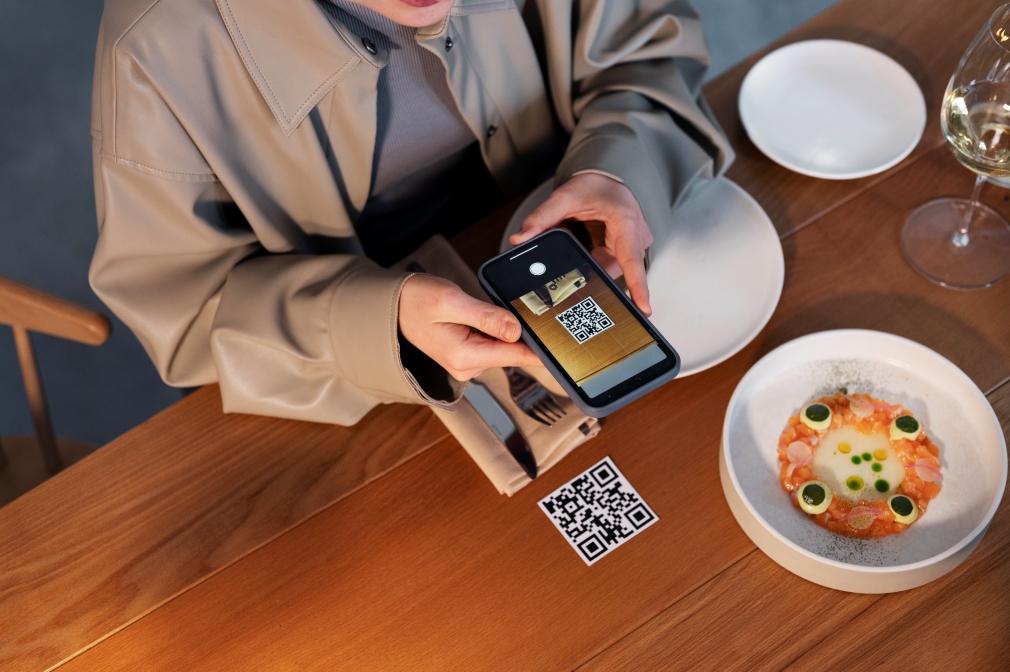
Many setups go further and use the same screen for contactless QR code and NFC payments. Customers can view, confirm, and pay from one display. When the register sits idle between customers, the screen can rotate through promotions or offers instead of sitting blank. That turns a trust feature into a small marketing channel too.
Beyond the Bill: What Else a Display Screen Can Do
A real-time bill display isn’t the only job a second screen can do at checkout. The same display can also show contactless QR payment options or promote in-store offers during idle moments, turning a trust tool into a small revenue driver as well.
FAQ
Does a customer display screen slow down checkout? No. It runs in sync with the POS in real time, so it adds visibility without adding steps or delay to the transaction.
Is a customer-facing display only useful for large retailers? No. Small and mid-sized retail stores and restaurants benefit just as much, since first-time customer trust matters most when a business doesn’t yet have brand recognition to fall back on.
What’s the difference between a receipt and a real-time bill display? A receipt confirms a transaction after it’s done. A real-time display shows the transaction as it happens, which is what removes the moment of doubt before payment.
Can a real-time bill display be used for anything besides billing? Yes. The same screen can show contactless payment QR codes and rotate through promotions or offers when the register is idle between customers.
Does adding a customer display require new hardware for every till? Most POS setups support adding a display per checkout counter, syncing to the same order data as the main register, so it can be added counter by counter rather than as a full system overhaul.
The Takeaway
A customer display screen isn’t just a convenience. It’s a quiet, constant trust signal. It tells every customer, every time: nothing to hide, nothing to double-check.
The point-of-sale (POS) system is no longer just a cash register. In 2026, the best POS systems act as the central nervous system of modern retail stores and restaurants – managing inventory, analyzing customer behavior, processing omnichannel orders, and even predicting tomorrow’s sales.
Whether you run a quick-service restaurant (QSR), a fine-dining establishment, a grocery chain, or a retail boutique, the POS system you choose in 2026 directly impacts your revenue, efficiency, and customer experience.
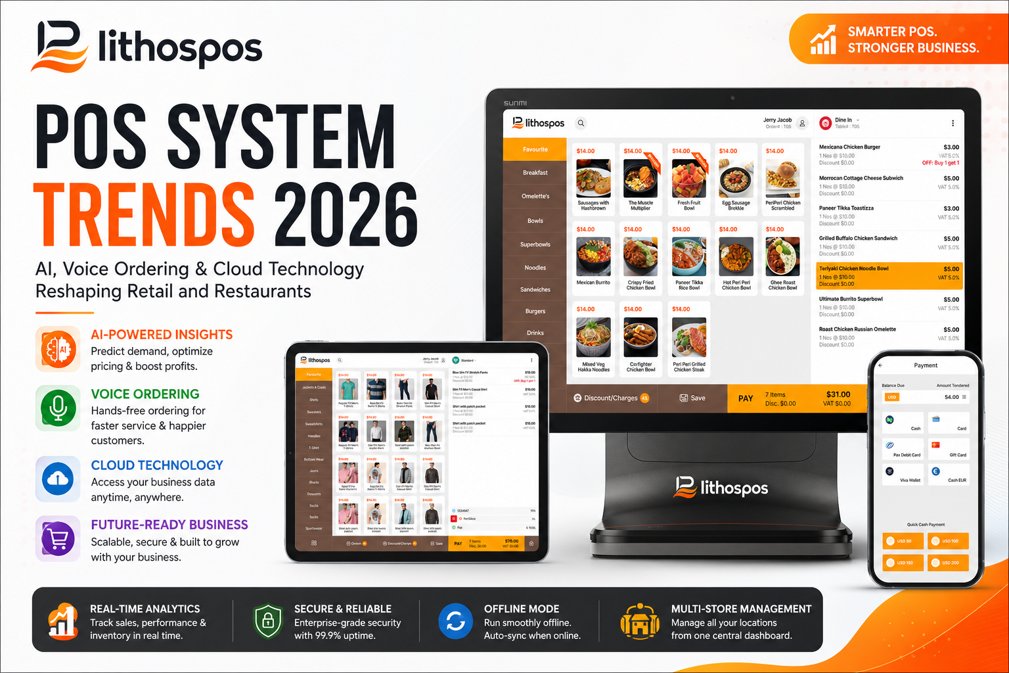
In this comprehensive guide, we break down the top 7 POS system trends for 2026, backed by industry data, and show you exactly how modern platforms like LithosPOS are leading this transformation.
What Are the Biggest POS System Trends for 2026?
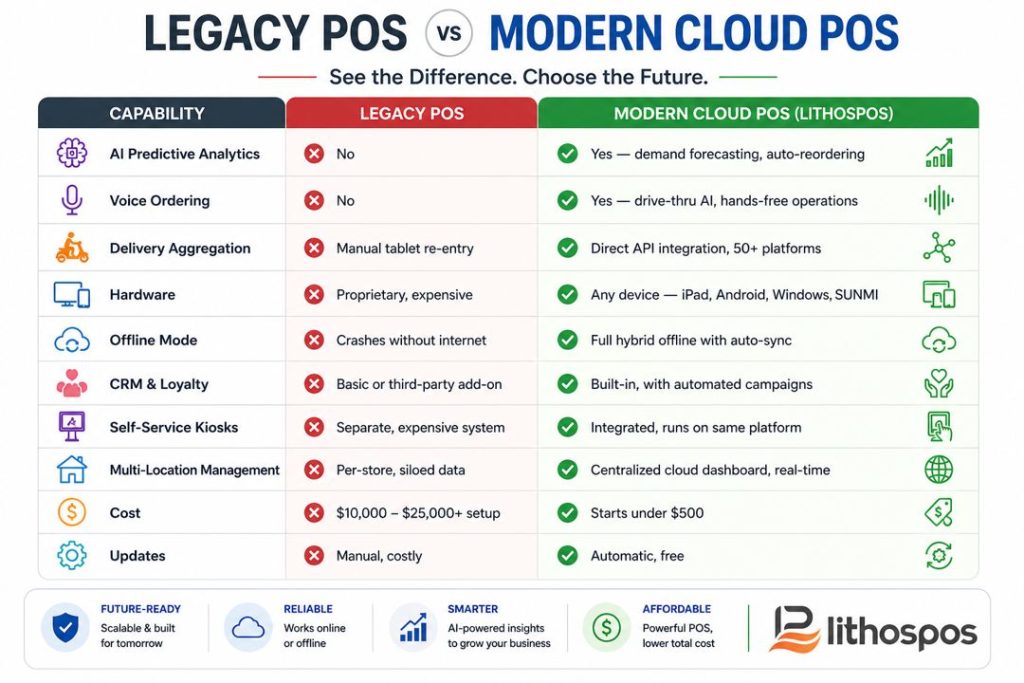
The global point-of-sale terminal market is projected to reach $181.1 billion by 2030, growing at a CAGR of 9.9% (Grand View Research). This explosive growth is fueled by seven key technology shifts that are redefining what a POS system can do.
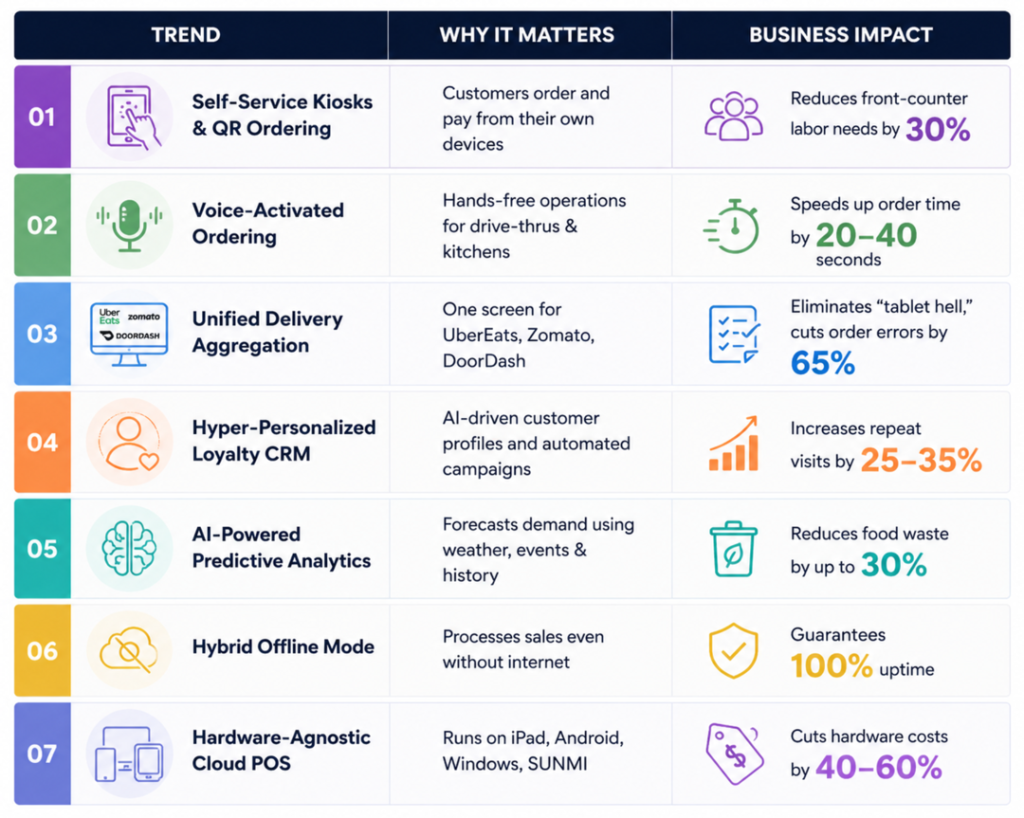
Here are the top POS trends every business owner needs to know in 2026:
1. AI-Powered POS Systems: From Data Collection to Predictive Action
How is AI changing POS systems in 2026?
Short answer: AI transforms your POS from a system that tells you what happened yesterday into one that tells you what will happen tomorrow and automatically takes action.
In 2026, the best AI-powered POS systems analyze massive datasets combining your historical sales, external factors like weather forecasts, local events, public holidays, and even social media trends to deliver predictive insights in real time.
According to Juniper Research, AI-driven automation in retail will save businesses over $340 billion annually by 2028 through smarter inventory management and dynamic pricing.
“Cold front expected this Saturday. Based on last year’s data, soup and hot beverage orders increased by 22%. Recommend prepping 20% extra.”
AI also enables dynamic menu pricing, slightly adjusting prices during peak and off-peak hours based on real-time demand, similar to how ride-sharing apps operate.
How AI-Powered POS Helps Retail
For retail businesses, AI solves the two biggest profit killers: stockouts and dead stock.
Stockout Prevention: The POS automatically generates purchase orders when inventory drops below a predicted threshold, not a static reorder point, but a dynamic one based on seasonal demand curves.
Dead Stock Reduction: AI flags slow-moving products early and suggests targeted discount campaigns before items become total losses.
How LithosPOS Uses AI
LithosPOS leverages advanced analytics and smart dashboard reporting to deliver actionable, real-time insights. From automated low-stock alerts to sales trend forecasting across multiple store locations, LithosPOS ensures your inventory is always optimized without the manual guesswork.
2. Voice-Activated POS: Conversational Commerce Enters the Kitchen
What is voice ordering in POS systems?
Short answer: Voice-activated POS technology allows restaurant staff and customers to place orders, check inventory, and manage operations using natural speech, with no screen tapping required.
We already talk to Alexa and Siri at home. In 2026, voice AI is making a massive leap into commercial POS environments.
Voice AI in Drive-Thrus and Quick-Service Restaurants
Quick-service restaurant (QSR) chains are rapidly deploying conversational AI bots at drive-thru windows.
These systems:
Take orders accurately through natural language processing (NLP)
Perfectly execute upselling prompts: “Would you like to add a medium fry for just $1.50 more?”
According to PYMNTS.com, drive-thru voice AI reduces average order time by 20-40 seconds per car, translating to significantly higher throughput during peak hours.
Hands-Free Staff Operations
In busy restaurant kitchens and retail stockrooms, staff can now:
Check real-time inventory levels by voice
Update order statuses hands-free
Clock in and out without touching a screen
Call up customer profiles during table-side service
This reduces screen dependency, speeds up operations, and improves hygiene, a growing priority in food service according to the National Restaurant Association.
3. Unified Delivery Aggregation: The End of “Tablet Hell.”
What is tablet hell in restaurants?
Short answer: “Tablet hell” refers to restaurants juggling 3-5 separate tablets for different delivery platforms (Uber Eats, DoorDash, Zomato, Grubhub, and more), each with its own interface, alert sounds, and manual order re-entry leading to errors, delays, and chaos.
In 2026, omnichannel POS integration is no longer a luxury feature. It is a baseline requirement for any serious restaurant or retail operation.
How Modern POS Systems Solve Tablet Hell
The best restaurant POS systems in 2026 feature direct API integrations with all major third-party delivery platforms.
Here is how it works:
A customer orders through Uber Eats, DoorDash, or Zomato
The order bypasses the front counter entirely
It flows directly into the POS and prints on the KDS
Kitchen staff prepare it just like a dine-in order, no manual re-entry
A McKinsey & Company report found that restaurants using unified order management reduce order errors by up to 65% and increase delivery throughput by 30%.
Centralized Menu Management
When you run out of avocado or a seasonal item, you update it once in your POS. The change instantly syncs across all connected delivery platforms, your website, and your self-service kiosks. No more logging into four different dashboards.
How LithosPOS Solves Tablet Hell
LithosPOS connects your business to 50+ integrations from delivery aggregators (Uber Eats, Zomato, Talabat, Deliveroo) to enterprise accounting platforms (SAP, Oracle, Zoho Books) and local payment gateways. Every order, from every channel, arrives on one single screen.
4. Hardware-Agnostic Cloud POS: The End of Vendor Lock-In
What is a hardware-agnostic POS system?
Short answer: A hardware-agnostic POS is software that runs on any device, iPads, Android tablets, Windows PCs, or industry-specific hardware like SUNMI and PAX, without requiring proprietary equipment from the POS vendor.
For decades, legacy POS companies forced merchants into buying their expensive, proprietary hardware. If a screen broke, you had to order their specific $1,500 replacement. If you wanted to open a new location, hardware costs could run into tens of thousands of dollars.
Why Hardware-Agnostic POS Matters in 2026
The biggest shift in the point-of-sale industry in 2026 is the widespread demand for Bring Your Own Device (BYOD) capability. According to Statista, cloud POS adoption has grown by over 300% since 2020, driven primarily by small businesses seeking affordable alternatives to proprietary terminals.
How LithosPOS Delivers Hardware Freedom
LithosPOS is 100% hardware-agnostic. Run our software on the Apple iPad, any Android tablet, a Windows desktop, or specialized restaurant hardware like SUNMI devices. You get enterprise-grade POS performance without the enterprise-grade price tag, giving you absolute freedom to scale without hardware lock-in.
5. Hyper-Personalized Loyalty Programs and CRM
How do modern POS systems handle customer loyalty?
Short answer: In 2026, the best POS systems include built-in Customer Relationship Management (CRM) tools that create detailed customer profiles, track purchase history, and trigger automated, hyper-personalized marketing campaigns, replacing generic punch cards forever.
The era of “buy 10, get 1 free” punch cards is over. Today’s consumers expect businesses to know them.
What Hyper-Personalized Loyalty Looks Like
When a regular customer walks into your coffee shop or logs into your digital ordering app, your POS should instantly pull up their profile:
“Hi Sarah, your usual iced oat milk latte? You’ve earned a $5 reward want to apply it today?”
This level of recognition builds emotional loyalty, not just transactional loyalty.
Automated Retention Marketing
Modern POS-integrated CRM tracks exactly what a customer buys and when.
Powerful automations include:
Predictive Reorder Reminders: If a customer buys pet food every 4 weeks, the system sends an SMS reminder at week 3 with a 10% discount code.
Lapsed Customer Win-Back: If a regular hasn’t visited in 30 days, trigger an automated email with a personalized offer on their favorite items.
Birthday and Anniversary Rewards: Automatic special offers on key dates.
Tiered VIP Programs: Customers automatically level up based on spending, unlocking exclusive perks.
According to Bain & Company, increasing customer retention by just 5% can boost profits by 25-95%. A POS with built-in CRM is the most direct path to achieving this.
6. Hybrid Offline Mode: Zero Downtime, Zero Excuses
What happens when a cloud POS loses internet?
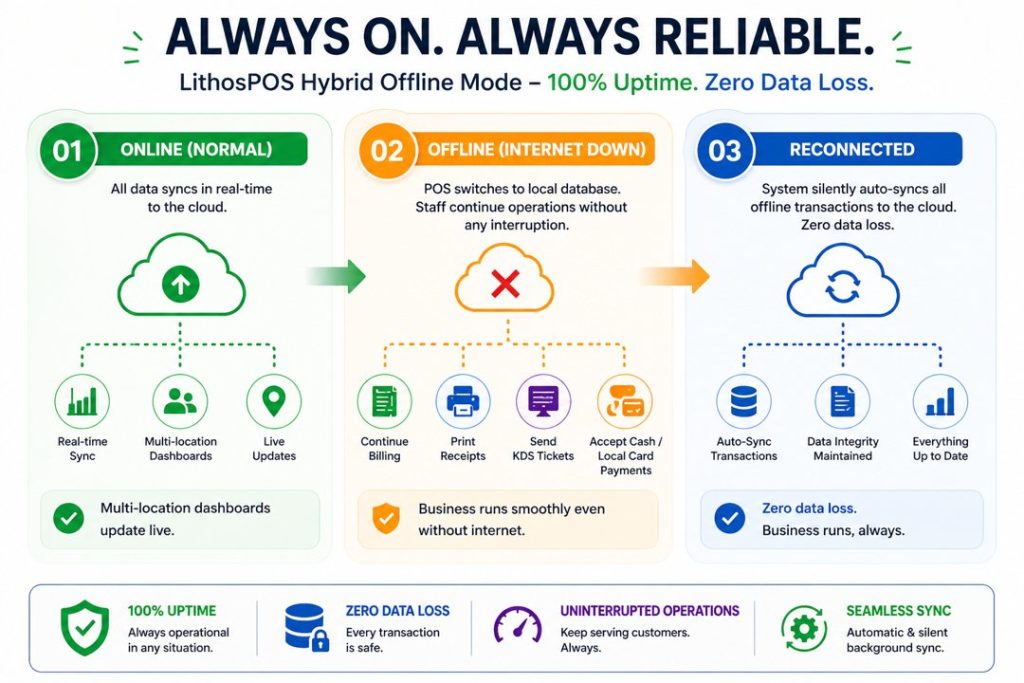
Short answer: With a hybrid offline POS, nothing happens — business continues as normal. The system processes sales, prints receipts, and sends orders to the kitchen using a local database. When the internet returns, everything auto-syncs to the cloud.
As the industry shifted to cloud-based POS systems, a critical vulnerability emerged: internet dependency. For a busy retail store or a packed Friday-night restaurant, an internet outage used to mean a complete business shutdown.
In 2026, businesses refuse to accept downtime. The industry standard is now the Hybrid Offline Mode.
How Hybrid Offline POS Works
Why This Matters for Global Businesses
For businesses operating in regions with inconsistent internet infrastructure, such as Southeast Asia, the Middle East, Africa, island nations, and developing markets, a hybrid offline capability is not a feature. It is a survival requirement. The World Bank Digital Development reports that over 2.7 billion people still lack reliable broadband, making offline-capable systems essential for global commerce.
How LithosPOS Guarantees Uptime
LithosPOS was purpose-built with island and developing-market infrastructure in mind. Our Hybrid Offline Mode guarantees 100% operational uptime. Your staff can open the cash drawer, print receipts, process orders, and send tickets to the KDS even with zero internet. The moment connectivity returns, all data syncs seamlessly. Your business never stops, even when your internet provider does.
7. Self-Service Kiosks and QR Code Mobile Ordering
What is self-service ordering in restaurants and retail?
Short answer: Self-service ordering allows customers to browse menus or product catalogs, place orders, and complete payments entirely on their own using in-store kiosks, their own smartphones via QR codes, or mobile apps without waiting for staff assistance.
The self-service revolution that began in major fast-food chains has now reached mid-sized restaurants, boutique retail stores, and grocery chains. Customers in 2026 prioritize speed and control over their ordering experience.
Self-Checkout in Retail
More retail stores, from boutiques to grocery chains, are deploying tablet-based self-checkout kiosks that require minimal staff intervention. Combined with AI-assisted cameras for loss prevention, these kiosks deliver a fast, frictionless checkout experience. According to RBR Data Services, the number of self-checkout terminals globally is expected to exceed 2 million units by 2027.
QR Code 2.0: Interactive Mobile Ordering for Restaurants
The static PDF QR code menus from the pandemic era have evolved into fully interactive digital ordering experiences:
The customer sits down and scans the QR code on the table
A rich, visual menu loads on their smartphone (no app download required)
They browse, customize, and send their order directly to the bar or kitchen
They pay using Apple Pay, Google Wallet, or any digital payment method 5. The entire experience happens without waiting for a server
The entire experience happens without waiting for a server
Does Self-Service Replace Staff?
No. Self-service doesn’t eliminate hospitality; it enhances it. By offloading transactional tasks (taking orders, processing payments) to the customer, your team is freed to focus on what humans do best: providing exceptional service, upselling, and managing the floor. Harvard Business Review research confirms that businesses combining self-service technology with attentive human staff report the highest customer satisfaction scores.
Frequently Asked Questions (FAQ)
What is the best POS system for restaurants in 2026?
The best restaurant POS system in 2026 should offer AI-powered analytics, unified delivery aggregation (Uber Eats, DoorDash, Zomato on one screen), a Kitchen Display System, hybrid offline mode, and hardware-agnostic deployment. LithosPOS checks all these boxes and supports 50+ integrations out of the box.
How does the free trial of LithosPOS work?
You can try all Lithospos’s features free for 14 days. There’s no commitment. We won’t ask for your credit card or payment information.
Can a POS system work without internet?
Yes. Modern hybrid POS systems like LithosPOS operate on a dual architecture, cloud-first with a robust local database. If the internet drops, you continue processing sales, printing receipts, and managing orders. All data auto-syncs when connectivity returns. Learn more about LithosPOS offline mode.
What is the difference between a cloud POS and a legacy POS?
A legacy POS stores data locally on proprietary hardware, requires manual updates, and cannot integrate easily with delivery platforms or modern payment methods. A cloud POS like LithosPOS stores data in the cloud, updates automatically, runs on any device, and integrates with 50+ third-party platforms, including delivery apps, accounting software, and payment gateways.
Is voice ordering the future of POS?
Voice ordering is one of the fastest-growing POS trends in 2026, especially in drive-thru and quick-service environments. AI-powered voice bots reduce order time by 20-40 seconds per transaction and improve upselling consistency. Gartner predicts that by 2028, over 30% of all QSR orders will involve some form of voice AI assistance.
What is a hardware-agnostic POS?
A hardware-agnostic POS is software that runs on any device, iPads, Android tablets, Windows PCs, or industry hardware like SUNMI and PAX, without requiring proprietary equipment. This gives business owners the freedom to use affordable, off-the-shelf devices instead of expensive vendor-locked terminals.
Conclusion: Is Your Business Ready for the Future of POS?
The point-of-sale industry in 2026 has moved from transactional to transformational. AI predictive analytics, voice ordering, hardware freedom, hybrid offline reliability, and omnichannel delivery integration all point toward one goal: making your business faster, more resilient, and more profitable.
If your current POS system forces you into expensive hardware, crashes when the internet drops, or requires manual order re-entry from delivery tablets, you are losing money every single day.
It is time to upgrade.
LithosPOS is a cloud-based, hardware-agnostic POS platform purpose-built for modern retail and restaurant businesses across 40+ countries. With true Hybrid Offline Mode, AI-powered analytics, 50+ integrations, and deployment on any device, LithosPOS gives you the power of tomorrow – today.
Ready to future-proof your business?
Book a Free Demo with LithosPOS and see how 50,000+ businesses worldwide are already running on the future of point-of-sale technology.
The checkout experience can make or break a customer’s entire shopping journey. Over the past few years, retailers have been asking themselves one critical question: Should we invest in self-checkout technology or stick with traditional staffed checkouts? The answer isn’t black and white, but understanding the differences between these two approaches will help you make the right decision for your business.
But here’s the thing, self-checkout isn’t a one-size-fits-all solution. Some retailers have embraced it wholeheartedly, while others have pulled back due to concerns about theft and customer satisfaction. Understanding both the strengths and weaknesses of self-checkout versus traditional checkout will help you decide what makes sense for your business.
What Is Self-Checkout, and How Does It Work?
Self-checkout systems allow customers to scan items, process payments, and complete their purchase without assistance from a cashier. Modern self-checkout solutions like LithosPOS Self-Checkout use advanced technology, including barcode scanning, touchscreen interfaces, weight sensors, age verification, and integrated payment processing.
LithosPOS Self-Checkout offers features specifically designed to create a frictionless checkout experience:
Intuitive Touchscreen Interface: Customers can easily navigate through the checkout process with clear prompts and instructions
Real-Time Inventory Integration: Tracks sales data as items are scanned, updating inventory automatically
Age-Restricted Item Detection: Automatic verification for items like alcohol and age-gated products
Receipt Options: Digital or printed receipts based on customer preference
Multi-Language Support: Accommodates diverse customer bases
Analytics and Reporting: Detailed insights into transaction patterns and peak times
These features work together to create a more independent shopping experience while maintaining security and accuracy.
Understanding Traditional Checkout
Traditional checkout is the classic model we’ve all experienced: customers line up with their items, a cashier scans everything, the customer pays, and they leave. It’s straightforward, personal, and has been the retail standard for decades. Traditional checkout still has several advantages that keep it relevant:
Personal Interaction: Cashiers can provide customer service, answer questions, and offer product recommendations
Accessibility: It’s easier for elderly customers, those unfamiliar with technology, or people with disabilities
Handling Complex Transactions: Returns, refunds, and special requests are easier with a trained employee
Building Customer Relationships: Regular customers appreciate familiar faces and personal connections
Premium Service Feel: Some retailers use checkout as an opportunity to deliver exceptional service
For many years, traditional checkout was simply the way retail worked. And in many settings, it still works beautifully.
Self-Checkout vs Traditional Checkout: A Detailed Comparison
1. Speed and Efficiency
Self-Checkout: Self-checkout is often faster for customers purchasing small quantities of items. There’s no waiting in line, and customers move at their own pace. However, unexpected item issues (like age verification for alcohol or weight sensor problems) can slow things down.
Traditional Checkout: For large basket sizes, traditional checkout can actually be faster since a trained cashier scans items at a consistent, quick pace. But during peak hours, customers face waiting times in checkout lines, which is one of the biggest pain points in retail.
Winner: Self-checkout for small purchases and off-peak hours; traditional checkout for large baskets and trained efficiency.
2. Customer Satisfaction
Self-Checkout: Satisfaction varies widely. Customers who are tech-savvy and buying just a few items love it. But frustration sets in quickly when the weight sensor malfunctions, items require age verification, the interface isn’t intuitive, or technical glitches occur. Modern solutions like LithosPOS Self-Checkout address many of these issues with user-friendly interfaces and quick staff assistance buttons.
Traditional Checkout: Customer satisfaction tends to be higher when cashiers are friendly and knowledgeable, wait times are minimal, the cashier remembers regular customers, and there’s genuine customer service. The downside? Long lines during busy periods kill satisfaction scores.
Winner: Traditional checkout for overall satisfaction, but modern self-checkout systems are closing the gap.
3. Cost Considerations
Self-Checkout: Initial investment is significant; self-checkout kiosks can be costly depending on features and capabilities. Installation and maintenance add ongoing costs. However, you reduce labor costs since fewer cashiers are needed.
Traditional Checkout: Lower upfront costs for the checkout counter itself, but labor costs are your biggest expense. A full-time cashier earning $15/hour with benefits costs roughly $30,000-$40,000 annually. A store might need 5-10 cashiers, depending on size and hours.
Winner: For high-volume stores, self-checkout wins on long-term cost savings. For small shops with low transaction volumes, traditional checkout is more cost-effective.
4. Theft and Shrinkage
Self-Checkout: This is where self-checkout faces serious challenges. Studies show that shrinkage (loss from theft or mistakes) at self-checkout is often higher than traditional checkouts. Customers accidentally miss scanning items, and some deliberately bypass scanning. The LithosPOS Self-Checkout system addresses this with weight sensors and AI-powered item detection, but the issue persists across the industry.
Traditional Checkout: Trained cashiers catch mistakes and suspicious behavior naturally. Shrinkage is lower because there’s immediate accountability.
Winner: Traditional checkout for loss prevention, though modern self-checkout systems are improving.
5. Customer Demographics and Accessibility
Self-Checkout: Works best for tech-savvy customers, people buying small quantities, customers in a hurry, and younger demographics. Doesn’t work well for elderly customers unfamiliar with technology, people with disabilities, non-English speakers, or those buying large quantities.
Traditional Checkout: Accessible for virtually everyone. Cashiers can slow down, explain steps, and accommodate different needs.
Winner: Traditional checkout for accessibility and inclusivity.
6. Upselling and Customer Engagement
Self-Checkout: There’s a limited opportunity for upselling or customer engagement, as customers typically scan items and complete their purchase quickly. However, LithosPOS addresses this by offering intelligent product suggestions and frequently bought together recommendations, helping businesses drive upsells seamlessly during the billing process.
Traditional Checkout: Skilled cashiers can recommend complementary products, mention promotions, or suggest seasonal items.
Winner: Traditional checkout for relationship-building and upselling. LithosPOS addresses this by offering intelligent suggestions and frequently bought together recommendations.
7. Labor and Staffing
Self-Checkout: Reduces the number of cashiers needed. However, you still need staff to monitor kiosks, assist customers, verify ages, and handle exceptions.
Traditional Checkout: Requires consistent staffing and creates scheduled employment.
Winner: Self-checkout for reducing staffing during labor shortages; traditional checkout for providing jobs.
The Real-World Trade-Offs
Here’s what most successful retailers have learned: it’s not about choosing one or the other, it’s about finding the right mix for your business. Grocery stores and supermarkets typically use 70-80% self-checkout and 20-30% traditional checkout. Quick-service restaurants lean heavily on self-ordering kiosks and self-checkout. Luxury retail stores often skip self-checkout entirely, preferring high-touch customer service. Small independent retailers typically stick with traditional checkout because the investment doesn’t pay off with their transaction volumes.
What Does the Future Look Like?
Self-checkout technology is improving rapidly. AI-powered item recognition is becoming more accurate. Biometric payments and mobile integration are making the process faster. Voice-activated checkouts are emerging. Modern platforms like LithosPOS Self-Checkout are continuously updating to address customer pain points. At the same time, some retailers are pulling back from pure self-checkout, recognizing that human interaction still matters, especially as a competitive advantage in an increasingly digital world.
Making the Right Choice for Your Business
Choose self-checkout if you have:
High transaction volume with small basket sizes
Young, tech-savvy customer base
Significant labor costs or labor shortages
Multiple locations where standardization matters
Budget for initial investment and ongoing maintenance
Ability to monitor kiosks and prevent theft
Stick with traditional checkout if you have:
Low transaction volume
Large average basket sizes
Older customer demographic
Limited budget for new technology
Strong emphasis on customer service and relationships •
Complex transactions (returns, special orders)
Need for high accessibility and inclusivity
Use a hybrid approach if you have:
Medium to high transaction volume
Mixed customer demographics
Budget for both solutions
Ability to staff and maintain both systems
Desire to accommodate different customer preferences
Implementing Self-Checkout Successfully
If you decide self-checkout is right for your business, here’s what success looks like:
1. Choose the right platform:LithosPOS Self-Checkout is designed specifically for retail and food service businesses.
2. Train staff properly: Your monitoring staff needs to be customer-service oriented.
3. Monitor and adjust: Track shrinkage data, customer satisfaction scores, and transaction times.
4. Communicate clearly: Let customers know where self-checkout is available and how to use it.
5. Maintain the technology: Regular software updates and hardware maintenance are critical.
The Bottom Line
Self-checkout and traditional checkout aren’t competitors; they’re different tools for different situations. The best retail experiences offer customers choice and flexibility. Technology like LithosPOS Self-Checkout has made self-service faster, more reliable, and more customer-friendly than ever before. But it works best alongside traditional checkout, not as a replacement for it.
The future of retail checkout isn’t about picking a winner. It’s about understanding your customers, your business model, and your capabilities, and choosing the approach that best serves them. Your customers are already voting with their feet. Watch where they go, listen to their feedback, and be willing to adapt. That’s the real secret to checkout success.
Ready to explore self-checkout for your business?
If you’re considering implementing self-checkout in your retail or food service operation, LithosPOS Self-Checkout offers advanced features designed specifically for modern retailers. Learn more about features like real-time inventory integration, age verification, payment processing, and detailed analytics by visiting LithosPOS Self-Checkout. Whether you choose self-checkout, traditional checkout, or a hybrid approach, the goal is the same: making your customers’ experience faster, easier, and more enjoyable.
The cloud kitchen industry has grown rapidly over the past few years. With lower setup costs and the rising demand for online food delivery, many entrepreneurs are launching delivery-only restaurants. However, running a successful cloud kitchen requires more than just great food and delivery partners. Behind every efficient operation is strong technology, especially a reliable POS software.
Without the right POS solution, cloud kitchens often face operational challenges that can slow down growth, create confusion, and impact customer satisfaction. Many businesses underestimate the importance of a smart POS platform until problems begin to appear.
Here arefive costly mistakes cloud kitchens make when they operate without the right POS software like LithosPOS.
1. Struggling to Manage High Order Volumes
Cloud kitchens often receive orders from multiple online channels at the same time. During peak hours, managing these orders manually or through disconnected systems can quickly become overwhelming.
Without a proper POS platform, staff may need to switch between different dashboards or devices to track incoming orders. This increases the chances of missed orders, delays, and confusion in the kitchen.
A modern POS solution centralizes all orders in one place, allowing kitchen teams to manage incoming requests smoothly. This improves workflow, reduces stress during rush hours, and ensures every order is processed correctly.
2. Frequent Order Errors and Customer Complaints
Accuracy is critical in the food delivery business. If customers receive the wrong item or a missing order component, it can lead to negative reviews and loss of trust.
Cloud kitchens that rely on manual order handling are more likely to experience errors. Staff may misread orders, forget modifications, or enter incorrect details.
POS software helps eliminate these issues by displaying orders clearly and sending them directly to the kitchen workflow. Some solutions also integrate with kitchen display systems, ensuring chefs see exactly what needs to be prepared.
This structured approach helps reduce mistakes and improve overall order accuracy, leading to better customer experiences.
3. Poor Inventory Management
Inventory management is one of the most overlooked areas in cloud kitchen operations. When stock levels are not tracked properly, businesses may run out of ingredients unexpectedly or overstock items that expire quickly.
Without a POS platform tracking ingredient usage and sales patterns, managers often rely on guesswork when planning purchases.
Smart POS solutions automatically track product sales and update inventory levels in real time. This helps cloud kitchens maintain the right balance of stock, reduce food wastage, and make informed purchasing decisions.
Better inventory visibility also ensures that menu items remain available for customers, preventing lost sales.
4. Lack of Data for Business Decisions
Many cloud kitchens operate without clear insights into their performance. Owners may know how many orders they receive daily, but they often lack deeper data about sales trends, popular menu items, or peak ordering times.
Without analytics, it becomes difficult to make strategic decisions that drive growth.
POS software collects and organizes business data automatically. It allows operators to track metrics such as top-selling items, revenue patterns, and order trends.
These insights help cloud kitchen owners adjust menus, optimize pricing strategies, and plan marketing campaigns based on real data rather than assumptions.
In a competitive market, data-driven decisions can make a major difference.
5. Difficulty Scaling the Business
One of the biggest advantages of the cloud kitchen model is scalability. Many businesses start with one brand and later expand to multiple virtual brands or additional locations.
However, scaling operations becomes difficult when the technology infrastructure is not built for growth.
Without the right POS platform, managing multiple brands, menus, or locations can become complicated. Business owners may struggle to monitor performance across different operations or maintain consistency.
A modern POS solution provides centralized control over multiple brands and outlets. It allows operators to manage menus, track sales, and monitor operations from a single dashboard.
This flexibility makes expansion smoother and helps cloud kitchens grow without losing operational control.
Why the Right POS Software Matters for Cloud Kitchens
Cloud kitchens rely heavily on speed, accuracy, and efficiency. Unlike traditional restaurants, they operate in a digital-first environment where every order flows through online platforms.
A powerful POS solution acts as the backbone of the entire operation. It connects orders, inventory, kitchen workflows, and sales data into one organized system.
By adopting a POS software like LithosPOS, cloud kitchen operators can simplify daily operations, reduce errors, improve order management, and make better business decisions.
Final Thoughts
The success of a cloud kitchen depends not only on food quality but also on how efficiently operations are managed. Businesses that rely on outdated systems or manual processes often face operational bottlenecks that slow their growth.
Avoiding these common mistakes starts with investing in the right technology.
With a reliable POS platform in place, cloud kitchens can streamline operations, enhance customer satisfaction, and scale confidently in an increasingly competitive food delivery market.
As the cloud kitchen industry continues to evolve, technology will remain the key factor separating struggling operations from highly successful ones.
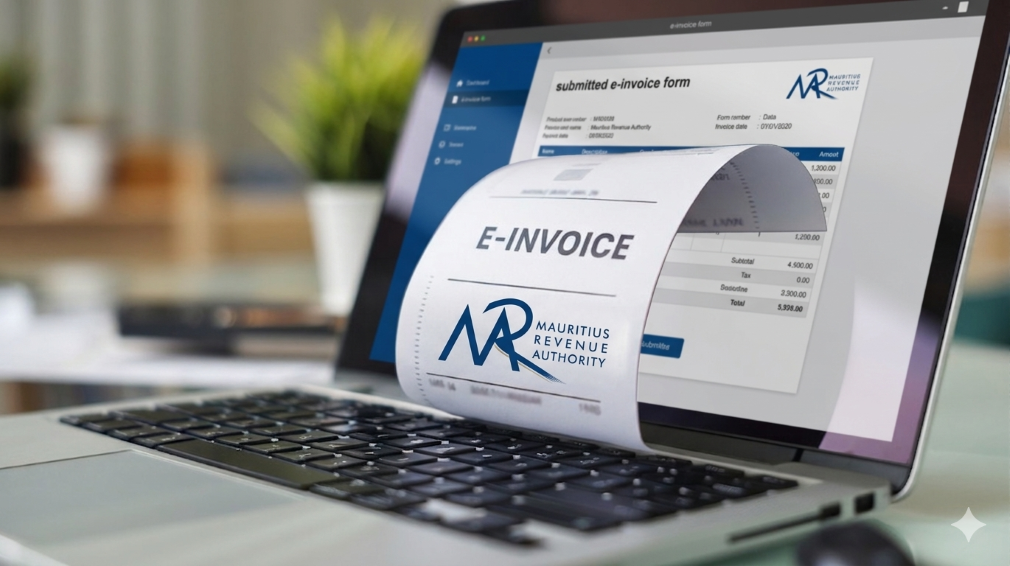
In Mauritius, businesses operate within a well-defined regulatory framework that promotes transparency, accuracy, and accountability in financial transactions. The Mauritius Revenue Authority (MRA) plays a central role in shaping this environment by setting clear invoicing and VAT guidelines that businesses must follow.
Rather than viewing compliance as a burden, many businesses today see it as a structured system that supports better financial management. With the help of modern POS software like LithosPOS, aligning with MRA invoicing standards becomes a seamless part of everyday operations.
The Importance of MRA’s Invoicing Framework
The invoicing standards established by MRA are designed to bring consistency and clarity across all business transactions in Mauritius. These guidelines ensure that every invoice contains the necessary fiscal details required for proper tax reporting and verification.
A standard MRA-compliant invoice typically includes:
Registered business details
VAT registration number
Unique and sequential invoice number
Date and time of transaction
Itemized list of goods or services
Applicable VAT rates and amounts
Final payable amount
This structured approach helps businesses maintain uniformity in documentation while making tax reporting more accurate and reliable.
Aligning Daily Operations with Compliance
For many businesses, the challenge is not understanding MRA requirements but consistently applying them across every transaction. Manual invoicing or disconnected systems can lead to inconsistencies, missing data, or calculation errors.
LithosPOS addresses this by embedding compliance directly into the billing process. Instead of requiring additional effort, the system ensures that every invoice generated already follows the expected format and structure.
This alignment allows businesses to maintain compliance without disrupting their daily workflow.
How LithosPOS Supports MRA-Compliant Invoicing
LithosPOS is designed to support businesses operating in regulated environments like Mauritius by incorporating essential invoicing standards into its core functionality.
Each invoice generated through LithosPOS is structured to include:
Complete business identification details
Accurate VAT registration information
System-generated sequential invoice numbering
Clear item-level breakdowns
Correct VAT calculations
Transparent totals
By ensuring that these elements are automatically included, LithosPOS reduces the need for manual checks and helps maintain consistency across all transactions.
Accurate VAT Handling Made Simple
VAT accuracy is a key component of MRA compliance. Even small miscalculations can lead to discrepancies in reporting, which may affect tax submissions and financial records.
LithosPOS simplifies VAT management by:
Applying predefined VAT rates to products and services
Supporting both VAT-inclusive and VAT-exclusive pricing
Automatically calculating VAT amounts during billing
Generating clear VAT breakdowns on invoices
This ensures that businesses can rely on consistent and accurate tax calculations while maintaining transparency in every transaction.
Automation That Enhances Consistency
One of the key advantages of using POS software like LithosPOS is automation. When invoicing is automated, businesses can eliminate many of the common errors associated with manual processes.
LithosPOS helps maintain consistency by:
Standardizing invoice formats across all transactions
Ensuring continuous and sequential invoice numbering
Reducing dependency on manual data entry
Maintaining uniformity across multiple outlets or locations
This level of consistency aligns closely with MRA’s objective of creating a reliable and traceable invoicing system for all businesses.
Supporting Audit Readiness with Organized Data
MRA’s compliance framework also emphasizes the importance of maintaining clear and accessible financial records. During audits or reviews, businesses are expected to provide accurate transaction histories and supporting documents.
LithosPOS supports this requirement by:
Storing all transaction data securely
Allowing quick retrieval of past invoices
Generating detailed sales and VAT reports
Maintaining a clear audit trail for every transaction
With organized records readily available, businesses can approach audits with confidence and minimal disruption.
A Structured Approach to Business Growth
Compliance is not just about meeting regulatory requirements; it also contributes to stronger business operations. A well-structured invoicing system improves internal processes, reduces disputes, and builds trust with customers and stakeholders.
By aligning with MRA standards through LithosPOS, businesses can:
Improve financial accuracy
Maintain consistent documentation
Strengthen reporting capabilities
Prepare for future regulatory updates
This creates a stable foundation that supports long-term growth and scalability.
Bridging Compliance and Technology
The combination of MRA’s structured guidelines and LithosPOS’s automated capabilities creates a balanced system that makes compliance easier to manage.
Instead of handling compliance as a separate responsibility, businesses can integrate it into their everyday operations. LithosPOS acts as a bridge between regulatory requirements and practical business needs, ensuring that invoicing remains accurate, consistent, and aligned.
Conclusion
MRA’s invoicing standards are designed to create a transparent and reliable business environment in Mauritius. When supported by the right technology, these standards become easier to implement and maintain.
POS software like LithosPOS helps businesses align naturally with MRA requirements by automating invoicing, ensuring VAT accuracy, and maintaining organized records. This approach allows businesses to stay compliant while focusing on operational efficiency and growth.
From retail stores and supermarkets to restaurants, cafés, and service-based businesses, LithosPOS supports consistent and structured invoicing across all business types.
Book a demo today and explore how POS software like LithosPOS can support your business with structured, MRA-aligned invoicing and smarter operations.
In 2026, retail and restaurant businesses will no longer be run only by owners, managers, or supervisors. A major part of daily decision-making now happens quietly in the background, powered by POS software. What was once limited to billing has evolved into a silent manager that oversees operations, reduces errors, and keeps businesses running smoothly without constant human intervention.
This shift isn’t about replacing people. It’s about enabling smarter, faster, and more consistent operations in an increasingly complex business environment.
The Evolution of POS Software Beyond Billing
Traditional POS tools focused on one job: completing transactions. But modern POS software in 2026 has expanded far beyond that role. It now monitors inventory movement, tracks sales patterns, highlights inefficiencies, and ensures accuracy across every transaction.
For retail stores and restaurants handling high volumes, multiple staff members, and varied payment methods, this evolution is no longer optional. POS software acts as a central control system, silently coordinating tasks that once required manual supervision.
The Rise of the “Silent Manager”
A silent manager doesn’t give instructions or demand attention. Instead, it works continuously in the background, ensuring operations stay aligned.
In retail and restaurant environments, POS software now:
Automatically updates inventory after every sale
Ensures price consistency across products and locations
Tracks peak hours and sales trends
Flags discrepancies without disrupting workflow
Maintains accurate records for reporting and compliance
This behind-the-scenes automation reduces the dependency on constant oversight and minimizes the risk of human error.
Why Accuracy Matters More Than Ever in 2026
Customer expectations in 2026 are shaped by speed and reliability. A delayed bill, incorrect price, or missing item can damage trust instantly.
POS software plays a critical role in maintaining accuracy by:
Syncing product prices in real time
Preventing manual billing mistakes
Ensuring stock levels reflect actual availability
Reducing mismatches between sales and inventory
For restaurants, this accuracy extends to kitchen orders, table management, and payment reconciliation. For retail stores, it ensures smoother checkouts and better stock planning.
Data That Works Quietly but Powerfully
One of the most underrated aspects of modern POS software is how it handles data. Instead of overwhelming business owners with complex dashboards, POS solutions in 2026 simplify insights.
Sales reports, inventory summaries, and performance metrics are generated automatically and ready when needed. This allows owners to:
Identify best-selling items
Understand slow-moving stock
Plan purchases more efficiently
Make informed decisions without guesswork
This form of business intelligence works silently, but its impact is significant.
Offline Reliability Still Matters
Despite advances in connectivity, uninterrupted internet access isn’t guaranteed everywhere. That’s why offline-capable POS software remains highly relevant in 2026.
This ensures business continuity and protects revenue, especially for stores and restaurants operating in high-traffic or remote locations.
Reducing Operational Stress for Business Owners
Managing a retail store or restaurant often means juggling staff, suppliers, customers, and finances. POS software reduces this burden by handling repetitive operational tasks.
Instead of manually checking stock, reviewing registers, or reconciling sales, business owners can rely on their POS software to maintain order. This shift allows them to focus more on growth, customer experience, and strategy.
POS Software as a Growth Enabler
In 2026, POS software isn’t just a tool; it’s a foundation for scalable growth. Whether managing one store or multiple locations, modern POS solutions support expansion by:
Centralizing operations
Standardizing processes
Providing unified reporting
Ensuring consistency across outlets
This silent management layer makes growth more predictable and less chaotic.
The Future Is Quiet, Smart, and Efficient
The most powerful changes in business operations often go unnoticed. POS software in 2026 doesn’t demand attention, yet it plays a crucial role in keeping retail and restaurant businesses efficient, accurate, and resilient.
By quietly managing data, transactions, and workflows, POS software allows businesses to operate with confidence without micromanagement or constant firefighting.
In the years ahead, success won’t depend on working harder, but on working smarter. And for many businesses, that smart work is already happening silently right at the point of sale.
If you want to make your business run smoothly with fewer errors and better control, try POS software like LithosPOSand experience smarter operations every day. Get a free trial today.
Running a retail store or restaurant is not just about making sales. It is about understanding what is actually happening behind those numbers. Many business owners feel confident when the cash counter looks busy or the store is crowded. But does that really mean your business is performing well?
The truth is, without clear data and meaningful insights, it is easy to miss what is working, what is not, and where money is silently leaking. This is where business analytics and reporting become essential.
Why Feeling Busy Is Not the Same as Performing Well
A common mistake among small and growing businesses is relying on gut feeling. You may feel that sales are increasing, inventory is under control, or staff performance is fine.
But unless you are tracking the right metrics, these assumptions can be misleading.
For example:
Are profits growing, or is it just sales volume?
Are certain products selling well while others remain unsold?
Are peak hours being fully utilised?
Are billing errors affecting revenue?
Without proper reporting, these questions remain unanswered.
What Does Business Performance Really Mean?
Business performance goes beyond daily sales totals. It includes:
Sales trends across days, weeks, and months
Product and category performance
Inventory movement and stock ageing
Payment method breakdown
Staff efficiency and error tracking
Peak hours and customer behaviour patterns
Modern businesses rely on POS analytics and reporting to track these insights in real time rather than waiting for end-of-month summaries.
The Problem With Manual Reports and Spreadsheets
Many retailers and restaurant owners still depend on manual registers, spreadsheets, or handwritten end-of-day reports.
While this approach may seem manageable, it often leads to:
Delayed and inaccurate data
Missed errors
Poor visibility into trends
Reactive decision-making
Manual reporting also becomes difficult to manage when a business grows or operates across multiple locations.
How POS Analytics Changes the Way You See Your Business
A modern POS solution with built-in analytics allows business owners to move from guesswork to clarity.
This visibility helps owners take timely action, whether it is restocking fast-moving items, adjusting pricing, or improving staff scheduling.
Real-Time Data Leads to Better Decisions
One of the biggest advantages of POS analytics is real-time reporting. Instead of waiting days or weeks for insights, you can see business performance as it happens.
This helps businesses:
Reduce inventory waste
Avoid stock shortages
Control operational costs
Improve cash flow
Increase profitability
POS software like LithosPOS is designed to provide clear and actionable insights without overwhelming users with complex data.
Analytics for Retail and Restaurant Businesses
Analytics needs vary slightly across industries, but the goal remains the same: better control and smarter decisions.
For Retail Businesses:
Product performance analysis
Inventory turnover reports
Category-wise sales insights
Payment method trends
For Restaurants and Cafes:
Peak hour analysis
Menu item performance
Order volume tracking
Staff-wise billing accuracy
POS analytics help businesses understand what drives revenue and where improvements are needed.
Simplifying Multi-Location Performance Tracking
For businesses operating multiple outlets, tracking performance can become challenging. Centralised POS reporting makes this easier by offering:
Location-wise sales comparisons
Consolidated reports
Central inventory visibility
Unified performance dashboards
This ensures consistency across outlets and supports confident business expansion.
Why Cloud-Based POS Reporting Matters
Cloud-based POS reporting ensures business data is accessible anytime and from anywhere. It also offers better data security, automatic backups, and real-time updates.
This is especially useful for owners who want visibility into operations without being physically present at the store every day.
Are You Using Data or Just Collecting It?
Many businesses collect data but fail to use it effectively. Real business intelligence comes from understanding trends, asking the right questions, and acting on insights.
A POS solution with smart analytics turns raw data into clear answers, helping owners truly understand how their business is performing.
Final Thoughts
If you are unsure about your sales trends, inventory movement, or operational efficiency, it may be time to rethink how you analyse your business.
POS software like LithosPOS helps retail and restaurant businesses gain clarity through powerful analytics and reporting, without unnecessary complexity. With operations across more than 40 countries, it supports growing businesses with real-time insights and better control.
Want to understand your business performance better? Try a free trial or book a demo to see how data-driven decisions can transform the way you run your retail/F&B business.
Small retailers often feel the pressure first when economic conditions shift. Reduced footfall, rising operational costs, supply chain disruptions, and shrinking profit margins make day-to-day operations more challenging. However, many resilient retailers successfully navigate tough times by relying on smart, data-driven tools. One such tool is POS software, a powerful solution that improves efficiency, reduces waste, and supports better decision-making.
In this blog, we explore howPOS software helps small retailers survive tough times, stabilise operations, and stay competitive even during economic downturns.
1. Improving Inventory Accuracy to Reduce Losses
During slow economic periods, every product on the shelf matters. Overstocking ties up capital, while understocking results in missed sales. POS software provides accurate, real-time inventory visibility so retailers can:
Track stock levels instantly
Reduce dead stock and over-purchasing
Forecast demand with historical sales trends
Identify best-selling and slow-moving items
Effective inventory management is one of the strongest survival strategies for small retailers, especially when controlling costs becomes a priority.
2. Reducing Human Error with Automation
Manual processes increase the chances of mistakes, misbilling, duplicate entries, incorrect discounts, and stock mismatches. These errors become expensive during tough economic conditions.
With fewer mistakes and better accuracy, retailers can safeguard their margins.
3. Faster Checkout to Improve Customer Satisfaction
Slow checkout experiences often drive customers away. During difficult economic periods, shoppers become more selective and prefer businesses that value their time.
This leads to shorter queues, better customer satisfaction, and higher chances of repeat visits. Even when demand fluctuates, a fast checkout process helps maintain consistent sales.
4. Data-Driven Decisions with Real-Time Business Insights
Tough times require smarter decision-making, not assumptions. POS software gives small retailers actionable insights through:
Daily sales reports
Category-wise performance
Hourly or seasonal trends
Customer buying patterns
Profit margins and cost reports
When retailers know exactly what is selling, what isn’t, and when customers prefer to shop, they can plan promotions, stock purchases, and staffing more effectively. This data-driven approach protects profitability and reduces unnecessary expenses.
5. Supporting Multi-Channel Selling to Increase Revenue
When foot traffic drops, retailers must diversify their selling channels. Instead of shifting fully to online operations, small retailers can start online sales alongside their offline store.
By reaching customers across different channels, retailers reduce dependency on walk-ins and maintain steady revenue flow even in downturns.
6. Building Strong Customer Loyalty During Downturns
Customer retention becomes more important when acquiring new customers becomes expensive. POS software plays a big role in strengthening customer loyalty by enabling:
Loyalty points
Exclusive member offers
Digital receipts
Customer purchase history
Personalized recommendations
When customers feel valued, they are more likely to return even during difficult economic conditions. This ensures stable revenue and long-term relationships.
7. Maintaining Business Continuity with Offline Functionality
Internet disruptions can stop billing and create frustration for both staff and customers. In tough times, retailers cannot afford downtime.
This reliability protects revenue and builds customer trust.
8. Strengthening Long-Term Business Stability
Tough times require adaptability, and POS software gives small retailers the flexibility they need. With better data, faster processes, and reduced operational costs, retailers can:
Keep their business steady
Retain customers
Increase profitability
Make smarter decisions
Compete with larger retailers
Technology becomes the backbone that helps retail businesses survive and grow even in unpredictable markets.
If you want to use a modern, efficient POS solution…
POS software like LithosPOSsupports small retailers with powerful tools for billing, inventory management, payments, customer loyalty, analytics, and multi-channel operations all in one place. It’s designed to help retail businesses stay efficient, accurate, and profitable in any economic condition.
LithosPOS is trusted by businesses in 50+ countries and continues to help retailers simplify operations and grow steadily.
If you run a busy restaurant, you already know that every minute matters. The faster you take orders, serve food, and clear tables, the more guests you can serve and the more revenue you make.
But here’s the catch: traditional service is slow. Handing menus, taking orders manually, keying them into the POS, bringing bills, this all eats up time.
This is where QR code ordering comes in, and it’s revolutionizing how restaurants handle table turnover.
What Is QR Code Ordering?
QR code ordering lets guests scan a QR code on their table, open a digital menu, place their orders, and even make payments directly from their smartphones. This removes the wait for servers, speeds up communication with the kitchen, and reduces human error.
Why Faster Table Turnover Matters
A restaurant with slow table turnover might serve fewer customers per day, even with a full dining area. Improving turnover means:
More guests served without extra seating
Shorter wait times for new customers
Higher daily revenue
Better guest satisfaction
How QR Code Ordering Improves Table Turnover
1. Instant Ordering as Soon as Guests Sit
No more waiting for a server to bring menus. Guests can scan the QR code, explore your digital menu, and send orders instantly to your POS.
Orders reach the kitchen faster
Customers spend less time deciding
Your staff can focus on delivering food
2. Direct Kitchen Communication for Faster Prep
QR orders are sent straight to the kitchen display system (KDS) or POS. This eliminates delays caused by manual order-taking or miscommunication. ✅ Faster prep time ✅ Reduced errors ✅ Smoother service flow
3. Shorter Checkout Process
Waiting for the bill often adds 10–15 minutes to table time. QR code ordering with contactless payment options like UPI, cards, or wallets allows guests to pay instantly and leave when they’re ready.
4. Boosts Staff Productivity
Your servers don’t have to spend time taking orders or printing bills. Instead, they can focus on:
Greeting new guests
Delivering food and drinks
Clearing tables faster
This increases efficiency while still providing excellent hospitality.
This increases the average order value without requiring guests to wait for server recommendations.
The Bottom Line
QR code ordering isn’t just a convenience feature; it’s a growth tool for restaurants. Cutting order wait times, speeding payments, and improving accuracy helps you:
✅ Serve more guests per shift ✅ Boost revenue without adding more seats ✅ Deliver a smoother, faster dining experience
If you’re ready to upgrade your operations, consider a POS solution that integrates QR ordering, payments, and kitchen display systems. This all-in-one approach ensures you’re not just keeping up with trends, you’re staying ahead of them.
Suppose you want to increase efficiency in your restaurant or retail business. In that case, LithosPOS is the best solution. Contact us today to get started and take your operations to the next level.
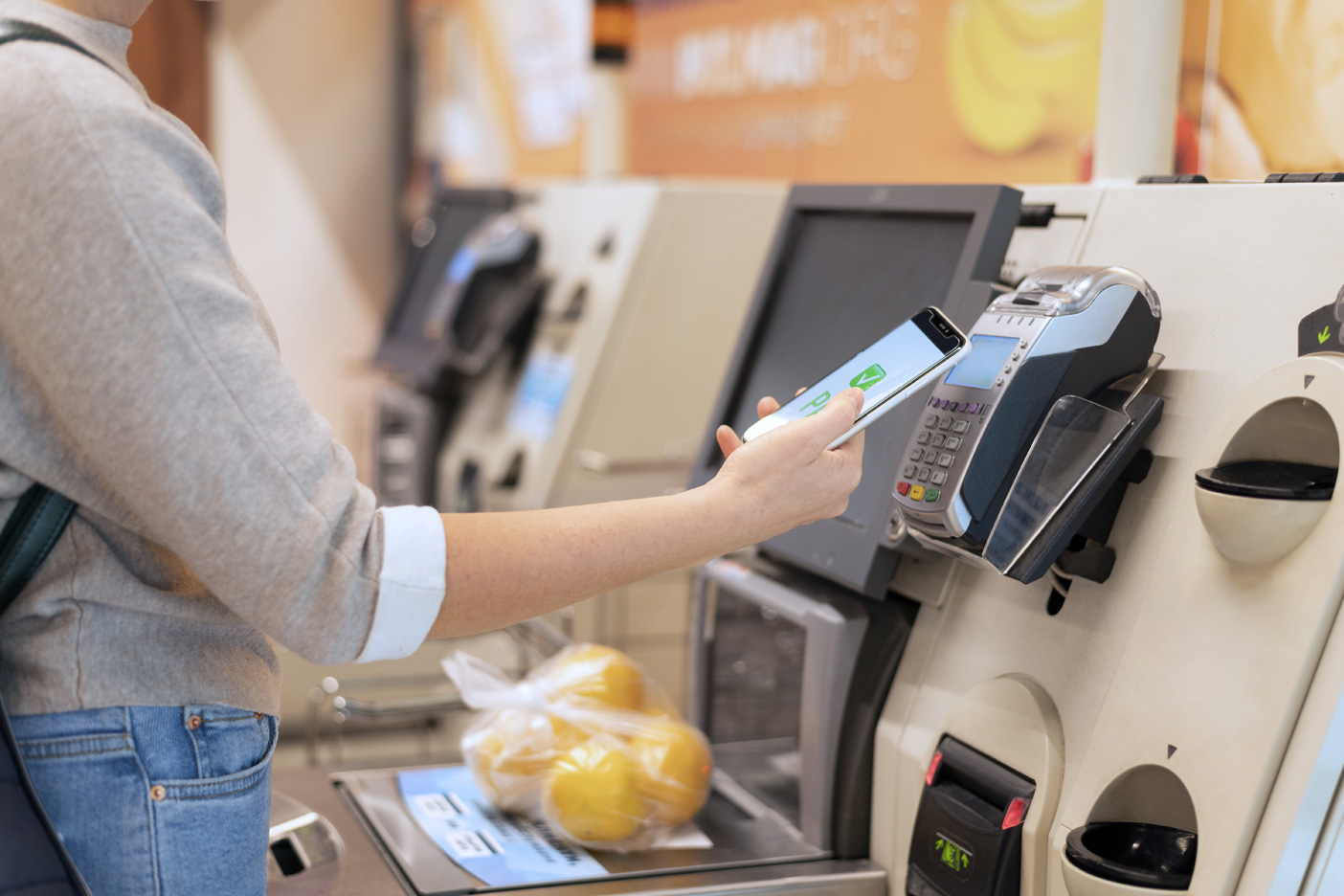
A Smarter Way to Pay – Fast, secure, and effortless, that’s what customers expect when making a purchase. Cash and outdated payment methods are quickly becoming a thing of the past. Tap-to-pay technology delivers a smooth, contactless experience that fits the pace of modern life. By offering tap-to-pay, businesses aren’t just keeping up, they’re leading the way in customer convenience.
What is Tap-to-Pay?
Tap-to-pay is a contactless payment method that allows customers to make transactions by simply tapping their card, phone, or wearable device near a payment terminal. It relies on NFC (Near Field Communication) technology to exchange encrypted payment data securely.
There’s no need for physical contact or extra steps. The payment is processed almost instantly, making it ideal for fast-paced environments like cafes, supermarkets, salons, and retail stores.
Why Tap-to-Pay is Essential for Modern Businesses
Tap-to-pay isn’t just a convenience feature; it’s a complete upgrade in the way businesses handle payments.
Here’s why more merchants are embracing this technology:
🔒 Enhanced Security with Tokenization
Each tap-to-pay transaction uses tokenization, where a unique, one-time-use encrypted code is generated for that specific payment. This means the actual payment data is never exposed during the transaction, reducing the risk of data breaches or misuse.
📱 Works with Smart Devices
Tap-to-pay is compatible with smartphones, smartwatches, and other wearable devices. Whether customers use digital wallets like Apple Pay, Google Pay, or Samsung Pay, they can complete transactions with just a quick tap.
This gives your business the flexibility to serve a tech-savvy generation that prefers digital-first solutions.
⚡ Lightning-Fast Checkout
Speed matters especially in busy retail or food service settings. Tap-to-pay allows payments to be completed in seconds, significantly reducing queue times and improving customer satisfaction.
Faster checkouts mean more transactions processed during peak hours and happier customers who don’t have to wait.
🧼 Contactless = Hygienic
Post-pandemic, people are more conscious of hygiene in public spaces. Tap-to-pay eliminates the need to handle cash, touch terminals, or hand over cards or devices. It promotes a touch-free checkout experience, reducing the spread of germs and enhancing safety for both staff and customers.
🌐 Globally Accepted and Growing
Contactless payments are becoming the standard worldwide. From large cities to small towns, tap-to-pay is widely accepted and increasingly preferred. Regulatory bodies and payment service providers are also supporting its adoption through better infrastructure and higher limits for contactless transactions.
How LithosPOS Supports Tap-to-Pay for Retailers and Restaurants
Offering tap-to-pay requires the right POS infrastructure. That’s where LithosPOSsteps in. As a complete point-of-sale solution for retail and restaurant businesses, LithosPOS is designed to support contactless payment technology effortlessly.
Here’s how LithosPOS helps:
✅ Integrated NFC Payment Support
LithosPOS works seamlessly with NFC-enabled payment terminals and supports major digital wallets and payment services across the globe.
✅ 50+ Payment Integrations
You can choose from over 50 payment providers integrated into the platform, offering flexibility to work with the service that best suits your region and business type.
✅ Real-Time Transaction Tracking
All contactless transactions are securely recorded in your POS dashboard, allowing for real-time monitoring, reporting, and reconciliation.
✅ Multi-Location Ready
Running multiple stores or franchises? LithosPOS enables centralized tap-to-pay setup and monitoring across all outlets, making it easy to maintain consistency and control.
Tap-to-Pay Use Cases: Where It Shines
Whether you’re a small shop or a growing chain, tap-to-pay has benefits across all sectors:
🛍️ Retail Stores: Quick checkout for fashion, electronics, lifestyle, or grocery products
☕ Cafes & QSRs: Speed up service without compromising accuracy or hygiene
🍽️ Restaurants: Enable staff to collect payments right at the table using smart devices
🧴 Salons & Spas: Offer a premium, hygienic experience for clients
🏪 Convenience Stores: Keep lines moving fast during rush hours
No matter the size or type of your business, contactless payments can improve the experience for both customers and staff.
FAQs About Tap-to-Pay for Business Owners
Q1: Do I need new hardware for tap-to-pay?
You need an NFC-enabled terminal, which is easily supported through LithosPOS’s payment partners. Most modern terminals are already tap-to-pay ready.
Q2: Is it safe for large transactions?
Yes. Contactless payments are protected by encryption and tokenization. For higher amounts, customers may need to authenticate using biometrics or passcodes.
Q3: Does LithosPOS work with digital wallets?
Absolutely. LithosPOS supports all major digital wallets, including Apple Pay, Google Pay, Samsung Pay, and more.
Q4: Is tap-to-pay supported offline?
LithosPOS offers offline functionality, allowing your store to continue operating even during internet outages. The payment data is securely stored and synced once the connection is restored.
Q5: How can I activate tap-to-pay in LithosPOS?
Simply contact the LithosPOS team or your preferred payment provider integrated with LithosPOS. Setup is quick, and our support team is ready to help you.
Final Thoughts: Tap into the Future of Payments
Tap-to-pay is more than a convenience — it’s a modern standard. It offers speed, safety, and simplicity, while improving trust between businesses and customers.
By choosing POS software like LithosPOS, you can unlock the full potential of contactless payments. From faster checkouts to enhanced security, LithosPOS equips you with the tools you need to grow in a competitive market.
Ready to offer tap-to-pay at your business?
Let LithosPOS help you get started with seamless, secure, and contactless payment solutions.