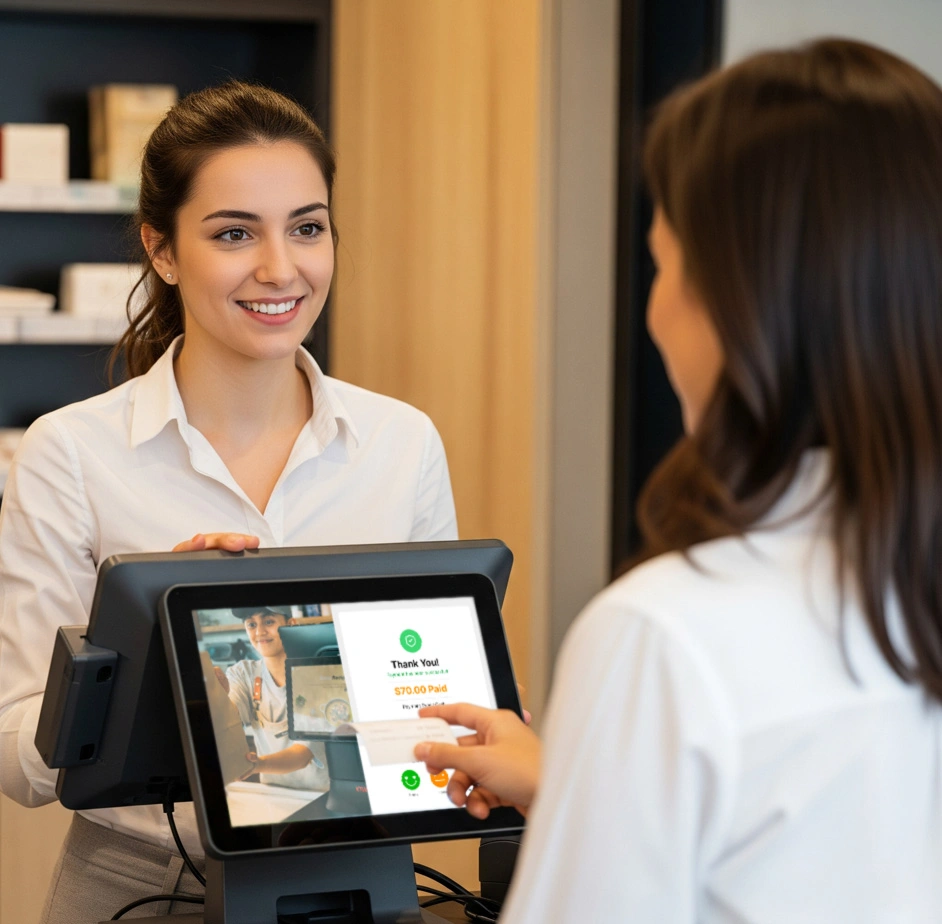
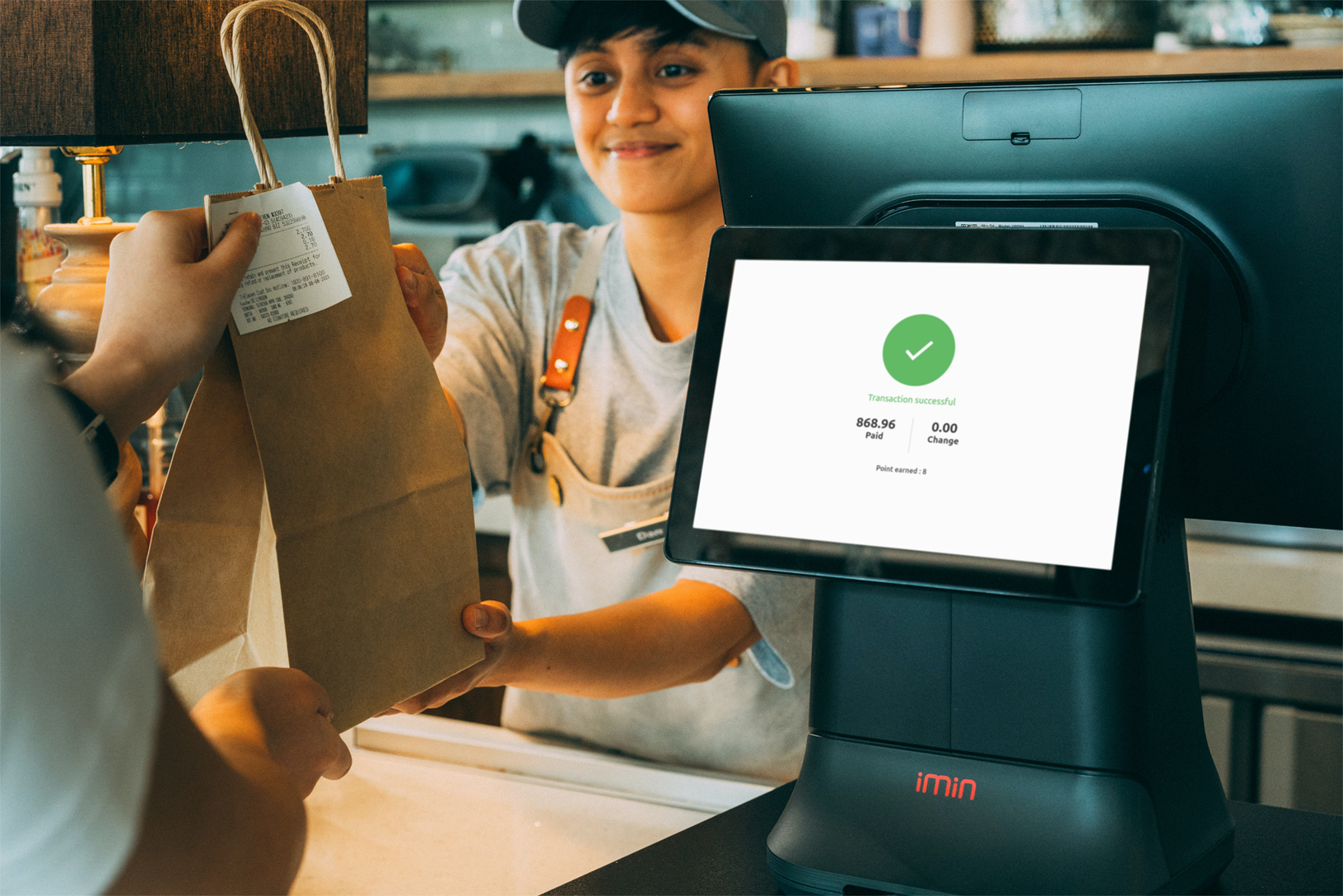
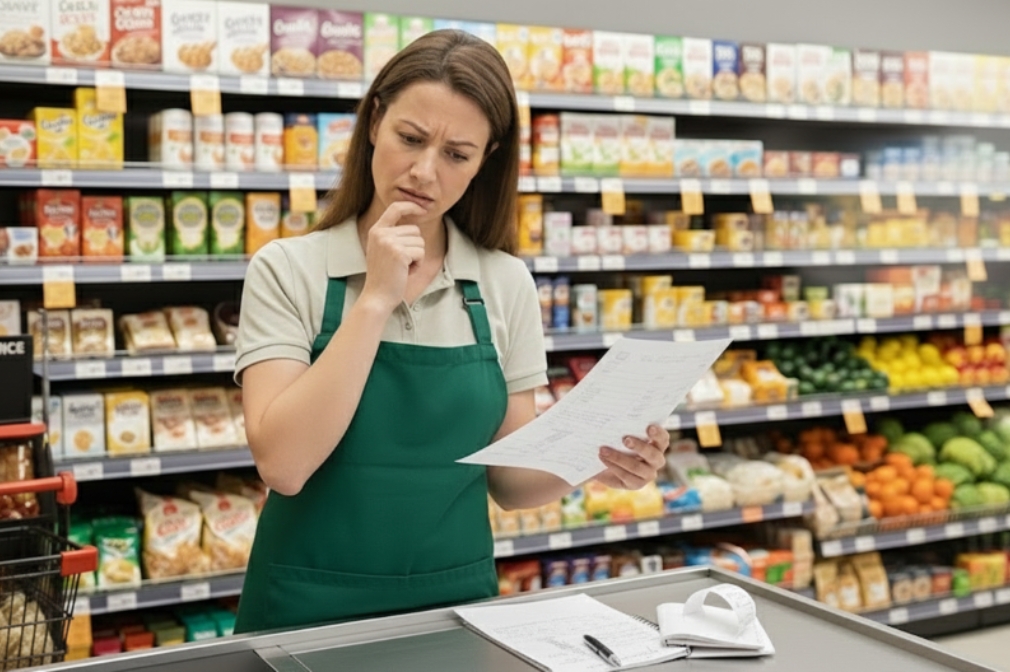
Ever watched a customer squint at the register, waiting to see the final number before they hand over their card? That small pause is doubt, and doubt, even for a second, chips away at trust. A real-time bill display removes that pause entirely, showing customers exactly what they owe as it adds up, item by item.
A customer display screen puts this real-time bill display in front of every customer. As items are scanned or an order is entered, the customer sees it happen line by line, in real time. No surprises at the end, no “wait, what was that charge for?”
Why a Real-Time Bill Display Builds Trust
Trust at checkout isn’t built with a receipt handed over after the fact. Customers build it during the transaction, watching their own bill add up. Billing stops being something that happens to them. It becomes something they’re part of.
This shift matters more than most retailers realize. A 2026 HubSpot survey of thousands of shoppers and marketers found that transparency has overtaken price as the single trait consumers value most in a brand. Businesses that openly shared pricing details saw measurably higher satisfaction scores (per Amra & Elma’s 2026 brand trust report). A customer who feels informed feels respected. And a customer who feels respected comes back.
The Hidden Cost of Checkout Without a Real-Time Bill Display
Without a real-time bill display, customers see only two things: the cashier’s screen, turned away from them, or a printed receipt at the end. That gap between “what am I being charged” and “here’s your total” is where doubt creeps in, even when nothing dishonest is happening.
A wrong price tag, a manager override, an extra item scanned twice: these small errors happen at every store. Staff usually fix them instantly. But if the customer finds out only after the fact, or has to ask, the fix doesn’t erase that flash of suspicion. Multiply that across hundreds of transactions a day. A store can quietly earn a reputation for feeling less trustworthy, even while doing nothing wrong.
A real-time bill display removes that gap by design. The customer sees the same running total the cashier sees, in the same moment. Doubt never gets a chance to form.
The Repeat-Customer Effect of a Real-Time Bill Display
First-time customers are naturally more cautious. They don’t yet know if a store rounds up, adds hidden fees, or fumbles totals. A real-time bill display answers that unspoken question before it’s even asked. Over time, that consistency turns a one-off visit into a habit. It also pairs naturally with other trust-building tools like a customer loyalty program that rewards customers for coming back.
This matters even more for businesses still building brand recognition. A well-known chain can lean on its reputation to earn a shopper’s benefit of the doubt. A newer or independent store doesn’t have that cushion. Every checkout is effectively a first impression. A real-time bill display helps smaller retailers earn trust fast, without years of brand history behind them.
How a Real-Time Bill Display Fits Into Modern POS Setups
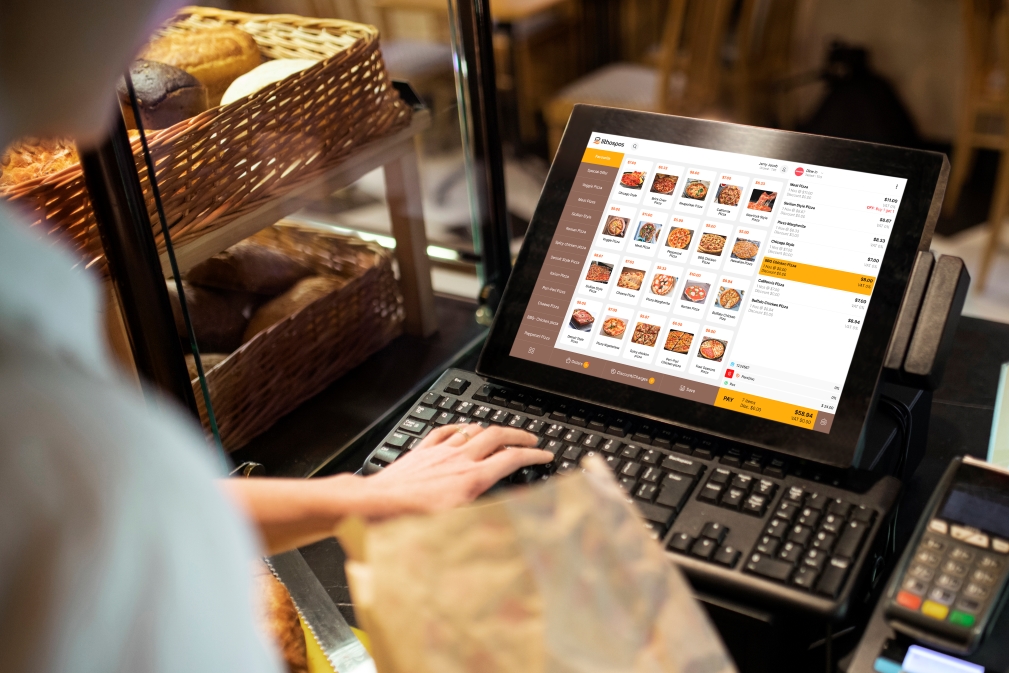
A real-time bill display typically runs on a second screen connected to the same point-of-sale system the cashier uses. Both screens update together as items are scanned or an order is entered. Staff manage nothing extra. There’s no separate device and no manual step. This is what sets it apart from simply turning a cashier’s screen around. A dedicated display serves the customer’s view alone. It’s often larger, clearer, and sits at eye level.
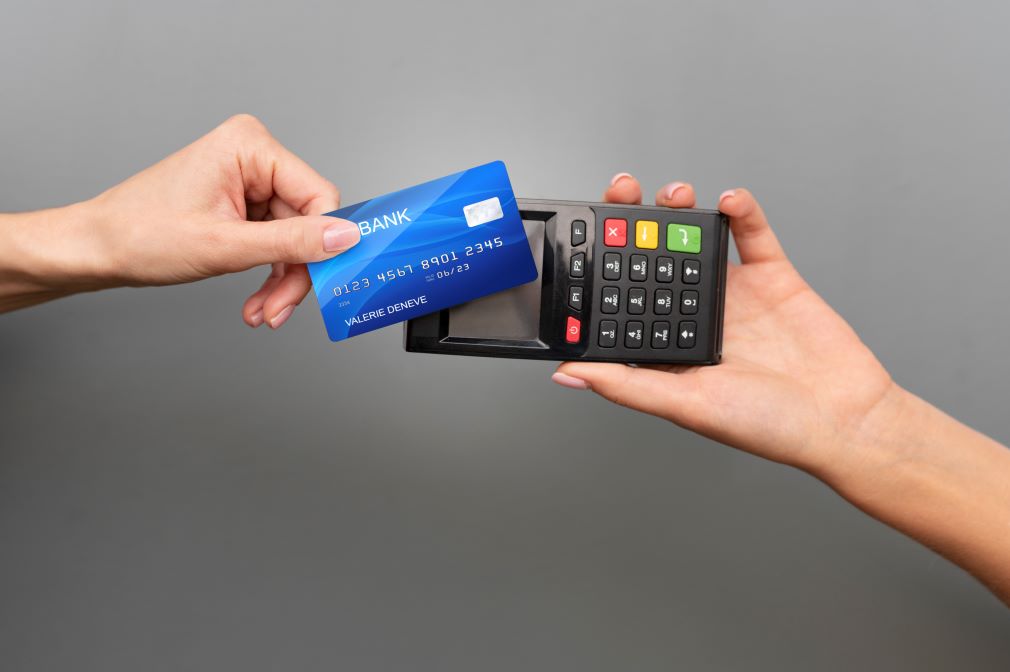
Many setups go further and use the same screen for contactless QR code and NFC payments. Customers can view, confirm, and pay from one display. When the register sits idle between customers, the screen can rotate through promotions or offers instead of sitting blank. That turns a trust feature into a small marketing channel too.
Beyond the Bill: What Else a Display Screen Can Do
A real-time bill display isn’t the only job a second screen can do at checkout. The same display can also show contactless QR payment options or promote in-store offers during idle moments, turning a trust tool into a small revenue driver as well.
FAQ
Does a customer display screen slow down checkout? No. It runs in sync with the POS in real time, so it adds visibility without adding steps or delay to the transaction.
Is a customer-facing display only useful for large retailers? No. Small and mid-sized retail stores and restaurants benefit just as much, since first-time customer trust matters most when a business doesn’t yet have brand recognition to fall back on.
What’s the difference between a receipt and a real-time bill display? A receipt confirms a transaction after it’s done. A real-time display shows the transaction as it happens, which is what removes the moment of doubt before payment.
Can a real-time bill display be used for anything besides billing? Yes. The same screen can show contactless payment QR codes and rotate through promotions or offers when the register is idle between customers.
Does adding a customer display require new hardware for every till? Most POS setups support adding a display per checkout counter, syncing to the same order data as the main register, so it can be added counter by counter rather than as a full system overhaul.
The Takeaway
A customer display screen isn’t just a convenience. It’s a quiet, constant trust signal. It tells every customer, every time: nothing to hide, nothing to double-check.
The complete 2026 guide for food truck owners who want faster service, smarter inventory, and zero downtime
Running a food truck is nothing like managing a traditional restaurant. You are working in a tight space, chasing locations, dealing with unpredictable connectivity, and serving a full lunch crowd in under 90 minutes. Every tool you use has to earn its place, including your POS software.
Most food truck owners make one of two mistakes. They either pick a POS built for brick-and-mortar restaurants and end up fighting the system every shift, or they go with the cheapest option and outgrow it fast. Neither works.
This guide breaks down exactly what to look for in a food truck POS software, which features actually matter, and how to choose one that fits your operation today and scales as you grow.
Why food trucks need a different kind of POS
A standard restaurant POS is designed for a fixed location with stable Wi-Fi, a full kitchen team, and a predictable customer flow. Food trucks operate under completely different conditions.
Space is limited. The average food truck has 60 to 80 square feet of working space. There is no room for bulky terminals, tangled cables, or multiple screens. Your POS setup needs to be compact enough to fit on a small counter without getting in the way of your crew.
Connectivity is inconsistent. Street corners, markets, festivals, and parking lots do not always have strong mobile signals. If your POS cannot process transactions offline, a dropped connection means a lost sale and a frustrated customer who walks away.
Lunch rushes are unforgiving. Food trucks often make the majority of their daily revenue in a one to two-hour window. Slow software, confusing interfaces, or payment delays during that window directly cut into what you earn.
You move. Your data should follow. Cloud-based POS software lets you access your sales reports, inventory levels, and customer data from anywhere, not just from the truck. That matters when you are planning for tomorrow’s location or ordering supplies on the go.
The 6 features that actually matter in a food truck POS
Not every feature in a POS brochure is relevant to a mobile food business. Here are the six that should be on every food truck owner’s checklist.
1. Offline mode that actually works
This is non-negotiable. Your POS must be able to take and process orders, including card payments, when there is no internet connection. Look for a system that syncs transactions automatically the moment connectivity is restored, with no manual steps required.
2. Fast, simple order entry
When there is a line of 30 people waiting, your staff cannot afford to navigate five screens to add a modification. The best food truck POS systems are built for speed. Menus are visual, modifiers are one tap, and the system gets out of the way and lets your team work.
3. Real-time inventory tracking
Running out of a key ingredient mid-service is one of the most avoidable problems in food truck operations. A good POS with built-in inventory management automatically deducts stock as items are sold and alerts you when something is running low. This keeps your menu accurate and prevents the awkward conversation of telling a customer what you do not have.
4. Multiple payment options
Cash, cards, contactless payments, Apple Pay, Google Pay, and QR code ordering are all expected by customers in 2026. A POS that only handles one or two payment types will cost you sales. Make sure the system you choose supports all major payment methods without needing separate hardware for each.
5. Cloud-based reporting and analytics
Your best business decisions come from understanding your data. Which menu items sell the most? Which location drives the most revenue? What time of day is your busiest? A cloud POS gives you access to real-time reports and analytics from any device, so you can plan smarter, cut waste, and focus on what is working.
6. Compact, mobile-friendly hardware
Tablet-based POS systems work best for food trucks. They take up minimal counter space, they are easy to mount or hold in hand, and they do not require the power setup that full terminal systems need. Look for a POS that runs on standard tablets and pairs with a small card reader for the most flexible setup.
Top POS software options for food trucks: a quick comparison
The right choice depends on your business size, the number of trucks you operate, and the markets you serve. Here is a closer look at what sets each apart.
LithosPOS: built for mobile, high-volume food businesses
LithosPOS is a cloud-based POS system designed for restaurants and retail businesses that need flexibility, speed, and multi-location control. For food truck operators, the LithosPOS Food Truck POS offers real-time inventory management that automatically tracks stock as orders go out, preventing mid-service shortages.
The system runs on tablets, takes up minimal space, and supports multiple payment types, including contactless and QR code ordering. Offline functionality keeps your operations running when connectivity dips, and cloud-based reporting gives you a full view of sales, performance, and stock levels, whether you are at the truck or planning your next day remotely.
For food truck owners who are also considering a physical location, a food court stall, or multiple trucks, LithosPOS supports multi-location management from a single dashboard. If you operate in a shared space, explore how LithosPOS handles food court operations as well.
Square is widely used among food truck owners just starting out because of its low upfront cost and straightforward setup. The free plan covers basic order management and payment processing, and the hardware is compact and affordable.
The limitations show as businesses grow. Offline card processing is restricted, advanced inventory tools require paid add-ons, and the reporting features lack the depth that growing food businesses need. It works well for simple operations but may not scale with you.
Toast: strong for high-volume trucks with complex menus
Toast offers solid kitchen display system support, ingredient-level inventory tracking, and strong offline capabilities. It is a good fit for food trucks running high transaction volumes or complex menus with multiple modifiers.
The tradeoff is cost. Toast’s monthly fees and hardware investment are higher than most other options, and the system was originally built for restaurants rather than mobile operations, which means some features feel less suited to the food truck context.
Clover: feature-rich with a learning curve
Clover offers a wide range of features through its app marketplace, strong CRM tools, and good order management. Advanced inventory management often requires third-party apps, adding cost and complexity. The startup costs are also higher, making it better suited to food trucks that have already validated their concept and are ready to invest in a more complete setup.
Which POS is right for your food truck?
If you are just starting out with a single truck and a simple menu, a mobile-first system with low upfront costs and basic reporting will get you going.
If you are running a busy truck with high daily transaction volumes, prioritize speed, strong offline mode, and kitchen display support.
If you operate or plan to operate multiple trucks, or want to expand into catering, a food court, or a physical space, choose a cloud-based POS with multi-location management built in.
If you sell across multiple channels including in-person and online pre-orders, look for a POS that keeps all your sales in one place without manual reconciliation.
If customer loyalty and repeat business are priorities, choose a system with built-in loyalty and rewards tools that work at the counter without extra steps.
5 questions to ask before choosing a food truck POS
Does it work fully offline, including card payments, not just cash transactions?
Can I access my sales data and inventory reports from my phone or laptop outside the truck?
Will it support me if I add a second truck, expand into catering, or move into a food court or physical location?
What payment types does it support, and is the hardware compact enough for my counter space?
What does the total cost look like, including monthly software fees, transaction fees, and hardware?
The food truck industry in 2026: what the numbers say
The food truck industry has grown significantly over the past decade and shows no signs of slowing. According to industry research from Statista, the food truck market continues to expand globally, driven by lower startup costs compared to traditional restaurants and growing consumer demand for diverse, street-level dining.
The National Restaurant Association reports that technology adoption is accelerating across food service, with a majority of operators identifying POS software as one of their top technology priorities. Food trucks that invest in the right POS technology tend to see improvements across three key areas: faster service during peak hours, better stock management that reduces waste, and cleaner data that helps them make smarter decisions about locations, menus, and pricing.
Frequently asked questions
What is the best POS software for food trucks in 2026?
The best POS software for a food truck depends on your operation size and needs. For food trucks that want real-time inventory control, multi-location scalability, and cloud-based reporting, LithosPOS Food Truck POS is a strong choice. Square suits solo operators with simple menus, while Toast and Clover work well for higher-volume trucks that need more advanced features.
Do food trucks need a POS system?
Yes. A POS system does much more than process payments. It tracks your inventory in real time, generates sales reports, supports multiple payment types, and helps you understand which items and locations perform best. For food trucks operating in fast-paced environments, a POS system directly affects how many customers you can serve and how accurately you manage your stock.
Can a food truck POS work without internet?
It depends on the system. Many POS platforms offer some form of offline mode, but not all support credit card processing when connectivity drops. Look for a POS that can handle both orders and payments offline, then automatically syncs all data once the connection is restored. LithosPOS includes full offline functionality designed specifically for mobile food businesses.
What hardware does a food truck POS need?
Most food truck POS setups run on a tablet paired with a compact card reader. This keeps the footprint small and avoids the power requirements of full terminal systems. Some operators also add a small receipt printer or kitchen display screen, depending on their workflow. LithosPOS works on iPad, Android tablets, and handheld terminals.
Can I manage multiple food trucks from one POS?
Yes, if you choose the right system. Cloud-based POS platforms with multi-store support let you manage inventory, menus, and sales reporting across all your trucks from a single dashboard. This becomes essential once you operate more than one truck or plan to expand into a food court or physical location.
Does LithosPOS work for food courts as well as food trucks?
Yes. LithosPOS is built for both mobile food businesses and multi-stall operations. If you run a food truck and also manage a stall in a food court, the same platform covers both with centralized reporting and inventory management.
The right POS makes every shift easier
A food truck’s success depends on speed, consistency, and making the most of every service window. The right POS software takes pressure off your team, keeps your inventory accurate, and gives you the data to make better decisions between shifts.
When evaluating your options, think beyond the price tag. Focus on offline reliability, ease of use during peak hours, and whether the system can grow with your business. A POS that works well today but cannot support a second truck, an online channel, or a food court stall tomorrow is a short-term solution.
LithosPOS is built for businesses that want cloud-based control, real-time inventory management, and the flexibility to serve customers across multiple locations and channels. Explore the full restaurant POS suite or go straight to the Food Truck POS page to see exactly how it fits your operation.
Delivery apps helped restaurants reach more customers, but they also created a serious profit problem. Every order that comes through a third-party delivery platform can reduce your margin through commission fees, manual order handling, menu mismatches, and customer data loss.
That is why many restaurants are now moving toward a restaurant POS with online ordering. Instead of depending only on delivery apps, restaurants can accept direct online orders, send them straight to the POS, manage takeaway and delivery from one place, and keep more control over revenue.
In this guide, we will explain how a restaurant POS with online ordering works, why it matters, and how it helps restaurants reduce delivery app dependency without losing online sales.
Why Delivery App Commissions Are Hurting Restaurant Profit Margins
Online food delivery is now a normal part of the restaurant business. Customers want to order from their phones, pay online, and receive food at home or pick it up quickly. For restaurants, this creates a big opportunity. But when most online orders come through third-party delivery apps, the restaurant loses control.
The biggest issue is commission. Delivery platforms usually charge restaurants a percentage of each order. Even when the restaurant gets more orders, the profit from each order may be lower. For small restaurants, cafes, cloud kitchens, and quick-service restaurants, this can quietly reduce monthly profit.
The problem is not only commission. Restaurants also face:
Manual order entry from delivery tablets
Wrong menu prices across platforms
Delayed kitchen communication
Missed or duplicated orders
No direct customer relationship
Limited access to customer data
Dependency on app rankings and promotions
This is why restaurants need a smarter system. A connected restaurant POS software can bring online orders, delivery, takeaway, dine-in, kitchen operations, and reporting into one workflow.
For restaurants already using LithosPOS, the goal is simple: manage more orders without losing control. You can connect your restaurant operation with the LithosPOS restaurant solution.
What Is a Restaurant POS with Online Ordering?
A restaurant POS with online ordering is a POS system that allows customers to place orders directly from your restaurant’s own online ordering page, website, QR code, or branded ordering platform. These orders are sent directly into the POS instead of being manually copied from another device.
This means the restaurant can manage:
Online orders
Takeaway orders
Delivery orders
Dine-in orders
Kitchen tickets
Menu items
Payments
Customer data
Sales reports
from one connected system.
A normal online ordering form only collects orders. A POS-integrated online ordering system does more. It connects the order to billing, kitchen display, inventory, payment, delivery, and reporting.
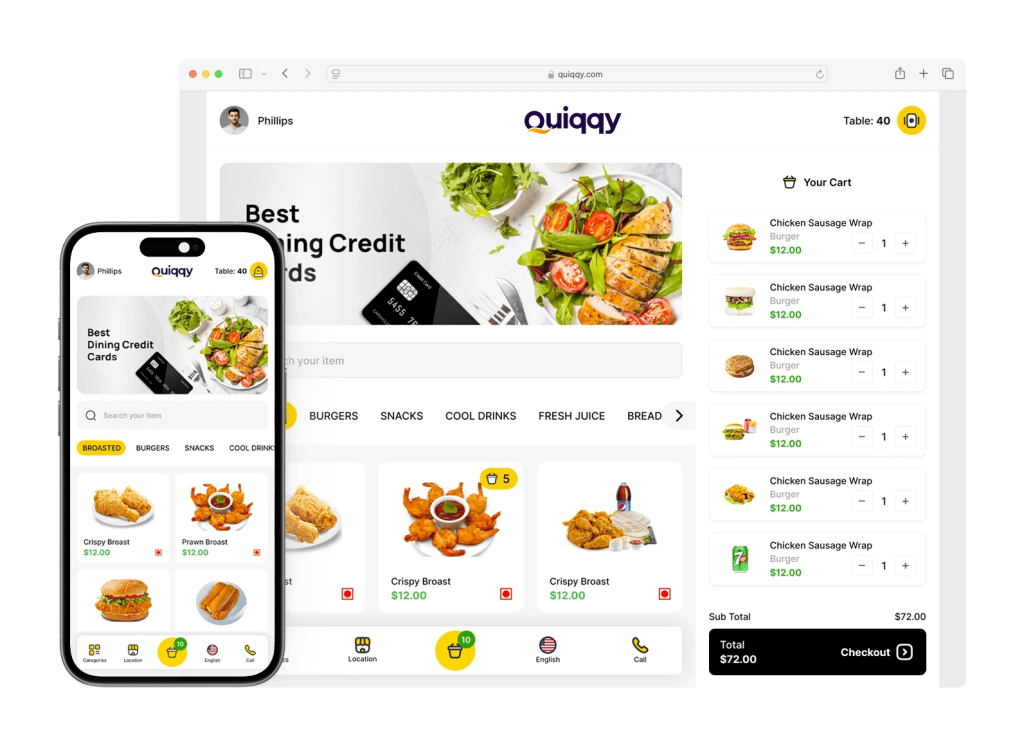
LithosPOS online ordering helps restaurants accept direct orders and manage them inside the POS workflow.
Direct Online Ordering vs Third-Party Delivery Apps
Third-party delivery apps are useful for discovery. A new customer may find your restaurant through an app. But depending only on these platforms can be risky.
Direct online ordering gives your restaurant more control.
Third-party delivery apps:
Good for visibility
Commission on each order
Limited customer ownership
Platform controls ranking
Restaurant depends on app policies
Multiple tablets may create confusion
Direct online ordering:
No platform dependency for every order
Better control over customer relationship
Orders go directly to your POS
Easier menu and price control
Better repeat customer marketing
More profit stays with the restaurant
The best strategy is not always to remove delivery apps completely. A better strategy is to stop depending on them for every order. Use third-party apps for new customer discovery, but push repeat customers to your own direct online ordering system.
According to Toast’s Restaurant Technology Report, restaurants that use their own direct ordering channels see significantly better margin retention compared to those fully dependent on third-party platforms.
How POS-Integrated Online Ordering Works
A POS-integrated online ordering system for restaurants removes the gap between customer ordering and restaurant operations.
Here is the simple flow:
Customer visits your online ordering page
Customer selects items, modifiers, and order type
An order is placed for delivery or pickup
Order appears directly in the POS
Kitchen receives the order through KOT or the kitchen display
Staff prepares, tracks, and completes the order
Sales and customer data are saved in reports
This reduces manual work. Staff do not need to read an order from one tablet and type it again into the POS. That one change can reduce mistakes, save time, and speed up order preparation.
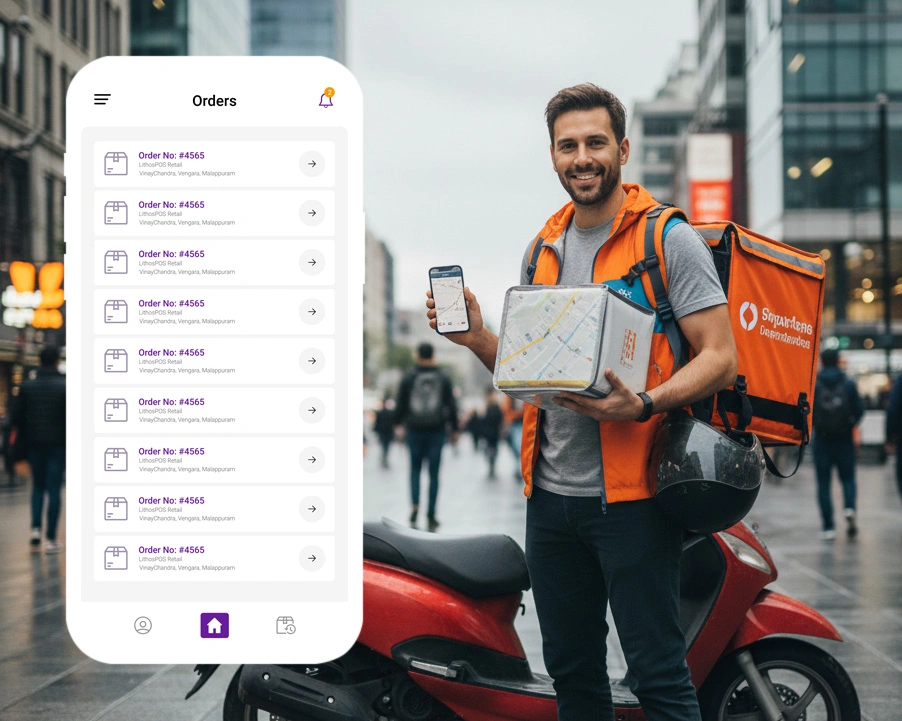
For restaurants handling delivery orders, LithosPOS also offers a delivery app solution that gives better control over your own delivery operation instead of depending completely on third-party platforms.
If you are dealing with common operational challenges like this, read our guide on restaurant order fulfillment to understand how connected systems can help.
Benefits of Using Your Own Online Ordering System
1. Reduce Delivery App Commission Pressure
The biggest benefit is margin protection. When customers order directly from your restaurant, you reduce dependency on commission-heavy delivery platforms. Even if you still use third-party apps, direct ordering gives customers another path to buy from you.
2. Own Your Customer Data
When customers order through third-party apps, the platform often controls the customer relationship. With direct online ordering, your restaurant can collect useful customer data such as order history, phone number, email, favorite items, and repeat purchase behavior.
This helps with loyalty campaigns, SMS offers, email marketing, and customer retention. LithosPOS loyalty program supports restaurants in building stronger repeat customer relationships.
3. Avoid Duplicate Order Entry
Manual order entry is one of the biggest causes of restaurant mistakes. If staff need to copy orders from delivery tablets into the POS, errors can happen. Items may be missed, modifiers may be entered wrongly, and kitchen preparation can be delayed.
A POS system for restaurants with online ordering sends orders directly into the system, reducing manual work. This is especially important for restaurants managing high order volumes, as covered in our post on restaurant labor shortage solutions.
4. Improve Kitchen Speed and Accuracy
When online orders are connected to POS and kitchen workflows, the kitchen receives clearer order details. This is especially useful for restaurants with modifiers, combos, toppings, add-ons, and special instructions.
For better kitchen order management, LithosPOS Kitchen Display helps restaurants route orders faster and more accurately.
5. Control Your Menu and Pricing
When your menu is spread across multiple platforms, keeping prices and availability updated becomes difficult. Direct online ordering connected with POS makes menu control easier. If an item is unavailable or a price changes, the restaurant can manage it more efficiently from one place.
6. Build Repeat Orders Without Paying Again and Again
A customer who discovers you on a delivery app can become your direct customer later. You can encourage them to order directly next time using bill inserts, QR codes, packaging messages, loyalty offers, and website links.
This is where commission-free online ordering becomes a long-term profit strategy, not just a technology feature. Read how this connects with broader restaurant operations in our post on one platform, two worlds.
How Restaurants Can Reduce Delivery Commission Costs
Restaurants cannot always avoid third-party delivery apps completely. But they can reduce dependency with a better ordering strategy.
Here are practical steps:
Add a direct “Order Online” button on your website
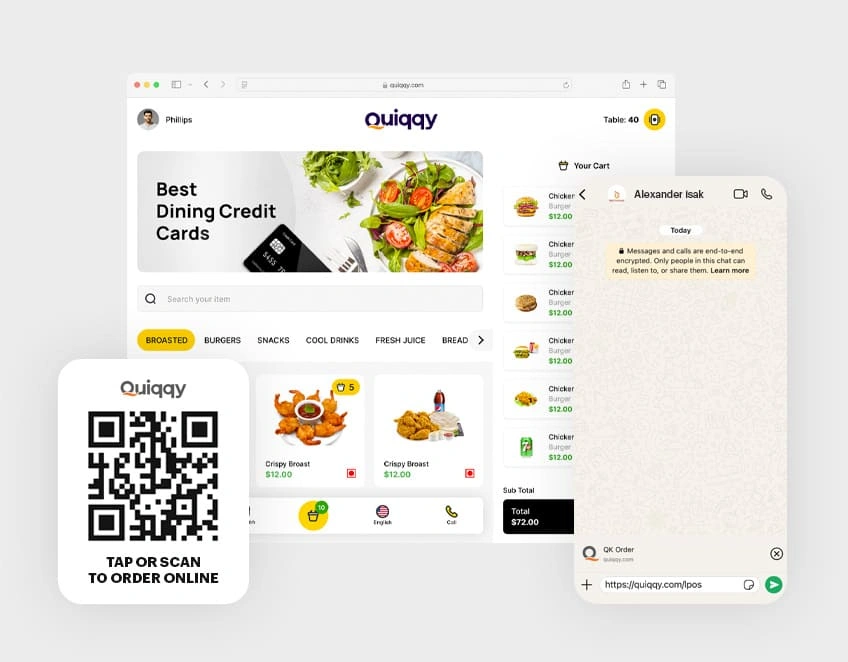
Place QR codes on tables, bills, takeaway bags, and packaging
Give small offers for direct orders
Promote direct ordering on Google Business Profile
Add direct ordering links on Instagram and Facebook
Train staff to tell repeat customers about direct ordering
Use loyalty rewards for customers who order directly
Keep menu prices and offers better on your own ordering page
The goal is not to fight delivery apps. The goal is to stop giving away margin on every repeat order.
If your restaurant already has regular customers, direct online ordering for restaurants can protect profit better than relying only on aggregator platforms.
According to Square’s Future of Commerce Report, restaurants with a direct online ordering channel retain a significantly higher share of customer lifetime value compared to those that rely only on third-party platforms.
Must-Have Features in a Restaurant Online Ordering POS
Before choosing an online ordering system for restaurants, check whether it includes these features:
POS integration
Pickup and delivery order support
Menu and modifier management
Online payment support
Kitchen order routing
Delivery management
Customer database
Loyalty support
Sales reports
Mobile-friendly ordering page
Multi-branch support
Offline POS support for in-store operations
A basic ordering page is not enough. Restaurants need an ordering system that connects with real operations.
LithosPOS brings restaurant POS, online ordering, restaurant delivery management software, kitchen display, waiter app, and reporting into one connected platform. You can explore the full restaurant POS solution here.
How LithosPOS Helps Restaurants Manage Online Orders
LithosPOS helps restaurants accept and manage online orders without adding unnecessary complexity. Instead of handling dine-in, takeaway, delivery, online orders, and reports separately, restaurants can manage everything through one POS ecosystem.
With LithosPOS, restaurants can:
Accept online orders directly
Manage delivery and takeaway orders
Reduce manual order entry
Send orders to the kitchen faster
Track sales and performance
Improve customer retention
Manage restaurant operations from one platform
For restaurants that want to reduce delivery app dependency, LithosPOS online ordering is a practical step. It allows restaurants to build their own direct ordering channel while still keeping full control over POS operations.
Delivery apps can bring orders, but they should not control your entire restaurant revenue. If every online order depends on a third-party platform, your restaurant may lose profit, customer data, and operational control.
A restaurant POS with online ordering helps restaurants accept direct orders, reduce commission pressure, improve kitchen accuracy, and build stronger customer relationships.
For restaurants that want to grow online without losing margin, the answer is clear: use delivery apps for reach, but build your own direct ordering channel with a connected POS system.
Frequently Asked Questions
What is a restaurant POS with online ordering? A restaurant POS with online ordering is a POS system that lets customers place orders online and sends those orders directly into the restaurant’s POS. It helps restaurants manage online orders, takeaway, delivery, billing, kitchen preparation, and sales reports from one connected system.
How can restaurants reduce delivery app commission fees? Restaurants can reduce delivery app commission fees by creating their own direct online ordering channel. They can add an order link to their website, Google Business Profile, social media, QR codes, bills, and packaging so repeat customers can order directly instead of using third-party apps every time.
Is direct online ordering better than third-party delivery apps? Direct online ordering is better for repeat customers because the restaurant keeps more control over profit, customer data, menu pricing, and branding. Third-party delivery apps can still help with discovery, but restaurants should not depend on them for every online order.
Can online orders go directly into the POS system? Yes. With a POS-integrated online ordering system, online orders can go directly into the POS. This reduces manual entry, avoids order mistakes, and helps the kitchen receive orders faster.
What features should a restaurant’s online ordering system have? A restaurant online ordering system should include POS integration, online payments, pickup and delivery support, menu management, modifiers, kitchen routing, customer data, loyalty support, sales reporting, and mobile-friendly ordering.
Not all POS systems are built the same, and the wrong choice can cost you thousands.
This guide covers every criterion you need to evaluate before committing to a point-of-sale system, from real-time inventory and payment processing to hidden fees, hardware lock-in, and multi-location scalability.
In this guide
What is a POS system, and why does your choice matter?
Cloud POS vs on-premise POS: which is right for you?
The 8 must-evaluate criteria before buying
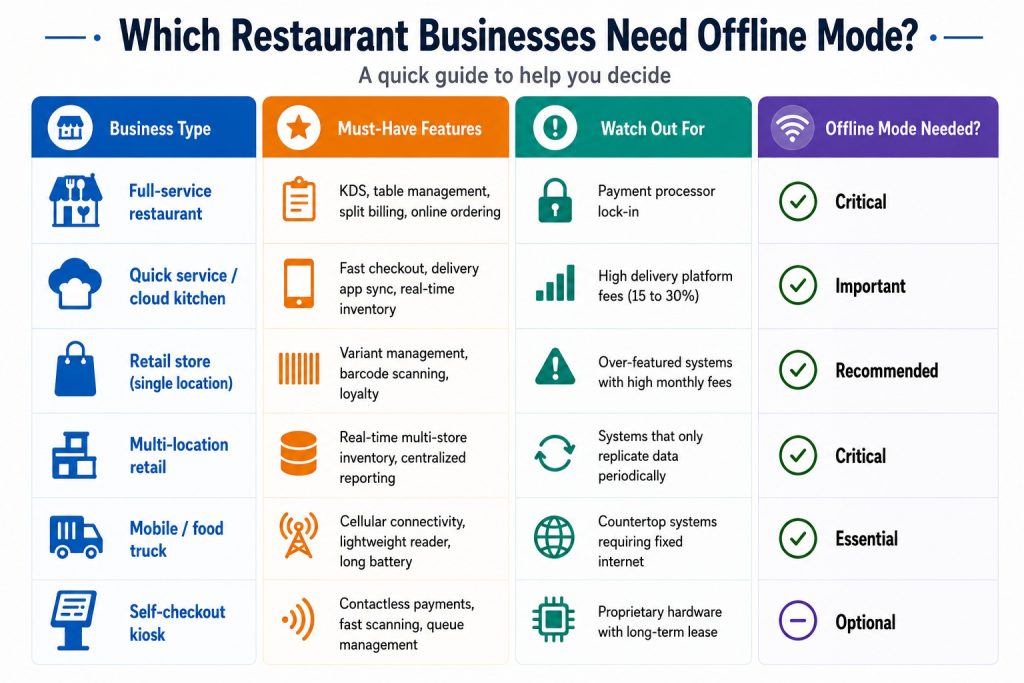
Quick comparison table: what to look for by business type
Red flags to watch out for
Your pre-purchase evaluation checklist
Frequently asked questions
What is a POS system, and why does your choice matter?
A point-of-sale (POS) system is the central hub of your business operations. It processes transactions, tracks inventory, manages staff, generates reports, and connects your physical store to your online presence. In 2026, the best POS systems go far beyond just ringing up a sale.
The wrong POS system can lock you into high payment processing fees, limit your ability to scale, and cause operational chaos during peak hours. The right one pays for itself through better inventory control, faster checkout, and smarter business decisions. According to Statista, the global POS software market is projected to surpass $29 billion by 2028, reflecting how central these systems have become to modern retail and hospitality.
Cloud POS vs on-premise POS: which is right for you?
Before you compare specific systems, you need to decide on the architecture that fits your business. The two main types are cloud-based and on-premise POS. Each has real tradeoffs depending on your location, budget, and operational needs. Forbes Advisor consistently highlights cloud POS as the preferred choice for growing businesses due to its flexibility and lower upfront cost.
Cloud-based POS – Hosted online. Access anywhere. Auto-updates. Lower upfront cost. Ideal for multi-location businesses and remote monitoring.
On-premise POS – Installed locally. Higher upfront investment. Works offline without internet dependency. Better for high-security data environments.
Quick rule: If you have multiple locations or want to monitor sales remotely, cloud POS wins every time. LithosPOS is fully cloud-based and operates across 40+ countries with real-time sync. If you are in an area with unreliable internet, look for a system with a reliable offline mode.
The 8 must-evaluate criteria before buying any POS system
1. Real-time inventory management
Your POS must sync stock levels instantly across all locations, with sub-10-second updates during high-volume periods. Look for automated reorder triggers, SKU variant support, and multi-location dashboards. A system that only syncs periodically will cause overselling and stockouts. LithosPOS restaurant POS and retail POS both include real-time inventory tracking built into the core platform.
Ask vendors: Does your inventory update in real time across all registers and locations simultaneously, including during offline mode?
2. Payment processing flexibility
Some POS systems lock you into their own payment processor. On $50,000/month in card sales, this can cost you an extra $3,200 to $5,000 per year compared to choosing your own interchange-plus processor. Always ask whether you can bring your own merchant services provider. The PCI Security Standards Council recommends verifying your processor is fully PCI-DSS compliant before committing.
3. Hardware compatibility and cost
Avoid non-cancellable hardware leases. A $500 terminal on a 48-month lease can cost over $2,300 total. Look for systems that support industry-standard hardware (iPad, Android tablets, Sunmi/PAX terminals) or can reprogram your existing devices. Always buy hardware outright when possible. Check the LithosPOS pricing page to understand what hardware options are available with each plan.
4. Industry-specific features
Restaurant POS systems need table management, kitchen display systems (KDS), split billing, and online ordering. Retail POS systems need variant management (size/color/SKU), e-commerce sync, and loyalty programs. Never use a retail POS for a high-volume restaurant as the workflows are completely different and you will end up building costly workarounds.
5. Offline mode reliability
Even in 2026, internet outages happen. A reliable POS must queue transactions locally to a durable, journaled store that survives device restarts, not just in-memory. Verify that the system can process transactions for at least 4 to 8 hours offline and reconcile automatically when reconnected. Investopedia notes that offline capability is one of the most overlooked criteria during the POS evaluation process.
6. Reporting and AI-driven analytics
Modern POS systems now offer predictive inventory suggestions, staff performance analytics, and demand forecasting. Look for systems that tell you what you are going to sell, not just what you sold. This is now the fastest-growing area in retail and restaurant tech, with Gartner identifying AI-powered analytics as a top priority for operations leaders in 2026.
7. Third-party software compatibility
Your POS should not be an island. It must connect to your accounting software (QuickBooks, Xero), payroll tools, CRM, marketing platforms, and e-commerce stores. Verify every connection is native before signing any contract. LithosPOS supports a wide range of third-party tools out of the box.
8. Total cost of ownership (not just the monthly fee)
Beyond the software subscription, calculate menu/inventory upload fees, PCI compliance charges, hardware shipping, payment processing rates, and support tier costs. A system with a higher monthly fee but lower transaction rates often saves more money at scale. Review the LithosPOS pricing page for a transparent breakdown with no hidden fees.
Hidden costs to ask about: Setup fees, data migration charges, per-location pricing, transaction minimums, and contract cancellation penalties.
Quick comparison: what to prioritize by business type
Red flags to watch out for when comparing POS vendors
🛑 Unannounced in-person sales visits with “today only” pricing pressure
🛑 Rate quotes below 1.0% flat, as hidden fees almost always apply
🛑 Non-cancellable equipment leases (48-month leases are the worst deal in the industry)
🛑 No references from businesses in your industry with similar volume
🛑 Inventory that syncs “periodically” instead of in real time
🛑 Support teams are in the wrong time zone for your operating hours
Your pre-purchase POS evaluation checklist
✅ Define your must-have features before booking any demo
✅ Request a full cost breakdown: software, hardware, processing, and support
✅ Ask for a live demo of offline mode, not a slide deck explanation
✅ Test inventory sync speed across locations during a demo transaction
✅ Verify all promised connections are native, not middleware-dependent
✅ Ask for references from similar-sized businesses in your vertical
✅ Review the contract cancellation terms before signing anything
✅ Calculate your effective processing rate at your actual monthly volume
✅ Confirm data migration support is included, not a paid add-on
✅ Check PCI compliance tools are included in the plan, not separately billed
Ready to run through this checklist with a real system? Book a LithosPOS demo and we will walk you through every criterion live.
Frequently asked questions
1. What is the most important factor when choosing a POS system? Payment processing cost. Your POS is permanently tied to a payment processor that takes a cut of every single sale. A system with great features but locked-in high processing rates will cost you far more over time than a simpler system with flexible, competitive pricing. Before anything else, calculate your effective processing rate at your actual monthly card volume and compare it across vendors.
2. What is the difference between cloud POS and traditional POS? A cloud POS stores your data online and lets you access it from any device, anywhere. It updates automatically, has a lower upfront cost, and is ideal for businesses with multiple locations or remote monitoring needs. A traditional (on-premise) POS stores data locally on your own server, giving you full control and offline reliability but requiring a higher setup investment and in-house IT maintenance. For most modern businesses, cloud POS is the smarter long-term choice.
3. How much does a POS system cost per month? It depends on what your business needs. Basic POS software starts free for entry-level plans and scales to $40 to $400 per month for systems with inventory management, multi-location support, and advanced reporting. On top of that, factor in payment processing fees (typically 2.5 to 2.9% per transaction) and hardware costs. Always calculate the total cost of ownership, not just the software subscription fee.
4. Can a POS system work without internet? Yes, but not all systems handle it equally well. A reliable POS must queue transactions locally to a durable store that survives device restarts and auto-reconcile everything when the internet returns. Some systems marketed as offline capable only hold data in memory, meaning a reboot during an outage wipes your transaction queue. Always test offline mode live during your demo before committing.
5. What POS system is best for restaurants vs retail? They need completely different feature sets. A restaurant POS needs table management, kitchen display systems (KDS), split billing, course-by-course ordering, and delivery app sync. A retail POS needs SKU and variant management (size, color, style), barcode scanning, multi-location inventory, and e-commerce channel sync. Never use a generic or cross-purpose system for either as the workflow mismatch will create costly operational workarounds.
6. How do I avoid hidden fees when buying a POS system? Always ask for a full cost breakdown beyond the advertised software fee. Key things to ask about: menu or inventory upload fees, PCI compliance charges, hardware shipping costs, data migration fees, per-location pricing, and contract cancellation penalties. Then calculate your effective processing rate at your real monthly card volume, not the base rate shown in marketing materials. A legitimate vendor will give you all of this upfront without pressure.
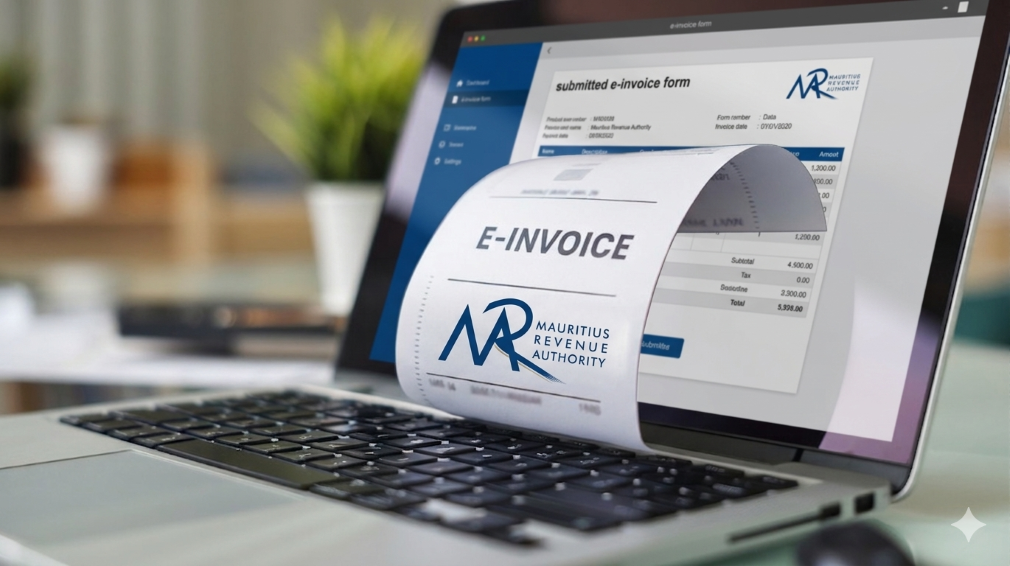
In Mauritius, businesses operate within a well-defined regulatory framework that promotes transparency, accuracy, and accountability in financial transactions. The Mauritius Revenue Authority (MRA) plays a central role in shaping this environment by setting clear invoicing and VAT guidelines that businesses must follow.
Rather than viewing compliance as a burden, many businesses today see it as a structured system that supports better financial management. With the help of modern POS software like LithosPOS, aligning with MRA invoicing standards becomes a seamless part of everyday operations.
The Importance of MRA’s Invoicing Framework
The invoicing standards established by MRA are designed to bring consistency and clarity across all business transactions in Mauritius. These guidelines ensure that every invoice contains the necessary fiscal details required for proper tax reporting and verification.
A standard MRA-compliant invoice typically includes:
Registered business details
VAT registration number
Unique and sequential invoice number
Date and time of transaction
Itemized list of goods or services
Applicable VAT rates and amounts
Final payable amount
This structured approach helps businesses maintain uniformity in documentation while making tax reporting more accurate and reliable.
Aligning Daily Operations with Compliance
For many businesses, the challenge is not understanding MRA requirements but consistently applying them across every transaction. Manual invoicing or disconnected systems can lead to inconsistencies, missing data, or calculation errors.
LithosPOS addresses this by embedding compliance directly into the billing process. Instead of requiring additional effort, the system ensures that every invoice generated already follows the expected format and structure.
This alignment allows businesses to maintain compliance without disrupting their daily workflow.
How LithosPOS Supports MRA-Compliant Invoicing
LithosPOS is designed to support businesses operating in regulated environments like Mauritius by incorporating essential invoicing standards into its core functionality.
Each invoice generated through LithosPOS is structured to include:
Complete business identification details
Accurate VAT registration information
System-generated sequential invoice numbering
Clear item-level breakdowns
Correct VAT calculations
Transparent totals
By ensuring that these elements are automatically included, LithosPOS reduces the need for manual checks and helps maintain consistency across all transactions.
Accurate VAT Handling Made Simple
VAT accuracy is a key component of MRA compliance. Even small miscalculations can lead to discrepancies in reporting, which may affect tax submissions and financial records.
LithosPOS simplifies VAT management by:
Applying predefined VAT rates to products and services
Supporting both VAT-inclusive and VAT-exclusive pricing
Automatically calculating VAT amounts during billing
Generating clear VAT breakdowns on invoices
This ensures that businesses can rely on consistent and accurate tax calculations while maintaining transparency in every transaction.
Automation That Enhances Consistency
One of the key advantages of using POS software like LithosPOS is automation. When invoicing is automated, businesses can eliminate many of the common errors associated with manual processes.
LithosPOS helps maintain consistency by:
Standardizing invoice formats across all transactions
Ensuring continuous and sequential invoice numbering
Reducing dependency on manual data entry
Maintaining uniformity across multiple outlets or locations
This level of consistency aligns closely with MRA’s objective of creating a reliable and traceable invoicing system for all businesses.
Supporting Audit Readiness with Organized Data
MRA’s compliance framework also emphasizes the importance of maintaining clear and accessible financial records. During audits or reviews, businesses are expected to provide accurate transaction histories and supporting documents.
LithosPOS supports this requirement by:
Storing all transaction data securely
Allowing quick retrieval of past invoices
Generating detailed sales and VAT reports
Maintaining a clear audit trail for every transaction
With organized records readily available, businesses can approach audits with confidence and minimal disruption.
A Structured Approach to Business Growth
Compliance is not just about meeting regulatory requirements; it also contributes to stronger business operations. A well-structured invoicing system improves internal processes, reduces disputes, and builds trust with customers and stakeholders.
By aligning with MRA standards through LithosPOS, businesses can:
Improve financial accuracy
Maintain consistent documentation
Strengthen reporting capabilities
Prepare for future regulatory updates
This creates a stable foundation that supports long-term growth and scalability.
Bridging Compliance and Technology
The combination of MRA’s structured guidelines and LithosPOS’s automated capabilities creates a balanced system that makes compliance easier to manage.
Instead of handling compliance as a separate responsibility, businesses can integrate it into their everyday operations. LithosPOS acts as a bridge between regulatory requirements and practical business needs, ensuring that invoicing remains accurate, consistent, and aligned.
Conclusion
MRA’s invoicing standards are designed to create a transparent and reliable business environment in Mauritius. When supported by the right technology, these standards become easier to implement and maintain.
POS software like LithosPOS helps businesses align naturally with MRA requirements by automating invoicing, ensuring VAT accuracy, and maintaining organized records. This approach allows businesses to stay compliant while focusing on operational efficiency and growth.
From retail stores and supermarkets to restaurants, cafés, and service-based businesses, LithosPOS supports consistent and structured invoicing across all business types.
Book a demo today and explore how POS software like LithosPOS can support your business with structured, MRA-aligned invoicing and smarter operations.
In 2026, retail and restaurant businesses will no longer be run only by owners, managers, or supervisors. A major part of daily decision-making now happens quietly in the background, powered by POS software. What was once limited to billing has evolved into a silent manager that oversees operations, reduces errors, and keeps businesses running smoothly without constant human intervention.
This shift isn’t about replacing people. It’s about enabling smarter, faster, and more consistent operations in an increasingly complex business environment.
The Evolution of POS Software Beyond Billing
Traditional POS tools focused on one job: completing transactions. But modern POS software in 2026 has expanded far beyond that role. It now monitors inventory movement, tracks sales patterns, highlights inefficiencies, and ensures accuracy across every transaction.
For retail stores and restaurants handling high volumes, multiple staff members, and varied payment methods, this evolution is no longer optional. POS software acts as a central control system, silently coordinating tasks that once required manual supervision.
The Rise of the “Silent Manager”
A silent manager doesn’t give instructions or demand attention. Instead, it works continuously in the background, ensuring operations stay aligned.
In retail and restaurant environments, POS software now:
Automatically updates inventory after every sale
Ensures price consistency across products and locations
Tracks peak hours and sales trends
Flags discrepancies without disrupting workflow
Maintains accurate records for reporting and compliance
This behind-the-scenes automation reduces the dependency on constant oversight and minimizes the risk of human error.
Why Accuracy Matters More Than Ever in 2026
Customer expectations in 2026 are shaped by speed and reliability. A delayed bill, incorrect price, or missing item can damage trust instantly.
POS software plays a critical role in maintaining accuracy by:
Syncing product prices in real time
Preventing manual billing mistakes
Ensuring stock levels reflect actual availability
Reducing mismatches between sales and inventory
For restaurants, this accuracy extends to kitchen orders, table management, and payment reconciliation. For retail stores, it ensures smoother checkouts and better stock planning.
Data That Works Quietly but Powerfully
One of the most underrated aspects of modern POS software is how it handles data. Instead of overwhelming business owners with complex dashboards, POS solutions in 2026 simplify insights.
Sales reports, inventory summaries, and performance metrics are generated automatically and ready when needed. This allows owners to:
Identify best-selling items
Understand slow-moving stock
Plan purchases more efficiently
Make informed decisions without guesswork
This form of business intelligence works silently, but its impact is significant.
Offline Reliability Still Matters
Despite advances in connectivity, uninterrupted internet access isn’t guaranteed everywhere. That’s why offline-capable POS software remains highly relevant in 2026.
This ensures business continuity and protects revenue, especially for stores and restaurants operating in high-traffic or remote locations.
Reducing Operational Stress for Business Owners
Managing a retail store or restaurant often means juggling staff, suppliers, customers, and finances. POS software reduces this burden by handling repetitive operational tasks.
Instead of manually checking stock, reviewing registers, or reconciling sales, business owners can rely on their POS software to maintain order. This shift allows them to focus more on growth, customer experience, and strategy.
POS Software as a Growth Enabler
In 2026, POS software isn’t just a tool; it’s a foundation for scalable growth. Whether managing one store or multiple locations, modern POS solutions support expansion by:
Centralizing operations
Standardizing processes
Providing unified reporting
Ensuring consistency across outlets
This silent management layer makes growth more predictable and less chaotic.
The Future Is Quiet, Smart, and Efficient
The most powerful changes in business operations often go unnoticed. POS software in 2026 doesn’t demand attention, yet it plays a crucial role in keeping retail and restaurant businesses efficient, accurate, and resilient.
By quietly managing data, transactions, and workflows, POS software allows businesses to operate with confidence without micromanagement or constant firefighting.
In the years ahead, success won’t depend on working harder, but on working smarter. And for many businesses, that smart work is already happening silently right at the point of sale.
If you want to make your business run smoothly with fewer errors and better control, try POS software like LithosPOSand experience smarter operations every day. Get a free trial today.
Running a retail store or restaurant is not just about making sales. It is about understanding what is actually happening behind those numbers. Many business owners feel confident when the cash counter looks busy or the store is crowded. But does that really mean your business is performing well?
The truth is, without clear data and meaningful insights, it is easy to miss what is working, what is not, and where money is silently leaking. This is where business analytics and reporting become essential.
Why Feeling Busy Is Not the Same as Performing Well
A common mistake among small and growing businesses is relying on gut feeling. You may feel that sales are increasing, inventory is under control, or staff performance is fine.
But unless you are tracking the right metrics, these assumptions can be misleading.
For example:
Are profits growing, or is it just sales volume?
Are certain products selling well while others remain unsold?
Are peak hours being fully utilised?
Are billing errors affecting revenue?
Without proper reporting, these questions remain unanswered.
What Does Business Performance Really Mean?
Business performance goes beyond daily sales totals. It includes:
Sales trends across days, weeks, and months
Product and category performance
Inventory movement and stock ageing
Payment method breakdown
Staff efficiency and error tracking
Peak hours and customer behaviour patterns
Modern businesses rely on POS analytics and reporting to track these insights in real time rather than waiting for end-of-month summaries.
The Problem With Manual Reports and Spreadsheets
Many retailers and restaurant owners still depend on manual registers, spreadsheets, or handwritten end-of-day reports.
While this approach may seem manageable, it often leads to:
Delayed and inaccurate data
Missed errors
Poor visibility into trends
Reactive decision-making
Manual reporting also becomes difficult to manage when a business grows or operates across multiple locations.
How POS Analytics Changes the Way You See Your Business
A modern POS solution with built-in analytics allows business owners to move from guesswork to clarity.
This visibility helps owners take timely action, whether it is restocking fast-moving items, adjusting pricing, or improving staff scheduling.
Real-Time Data Leads to Better Decisions
One of the biggest advantages of POS analytics is real-time reporting. Instead of waiting days or weeks for insights, you can see business performance as it happens.
This helps businesses:
Reduce inventory waste
Avoid stock shortages
Control operational costs
Improve cash flow
Increase profitability
POS software like LithosPOS is designed to provide clear and actionable insights without overwhelming users with complex data.
Analytics for Retail and Restaurant Businesses
Analytics needs vary slightly across industries, but the goal remains the same: better control and smarter decisions.
For Retail Businesses:
Product performance analysis
Inventory turnover reports
Category-wise sales insights
Payment method trends
For Restaurants and Cafes:
Peak hour analysis
Menu item performance
Order volume tracking
Staff-wise billing accuracy
POS analytics help businesses understand what drives revenue and where improvements are needed.
Simplifying Multi-Location Performance Tracking
For businesses operating multiple outlets, tracking performance can become challenging. Centralised POS reporting makes this easier by offering:
Location-wise sales comparisons
Consolidated reports
Central inventory visibility
Unified performance dashboards
This ensures consistency across outlets and supports confident business expansion.
Why Cloud-Based POS Reporting Matters
Cloud-based POS reporting ensures business data is accessible anytime and from anywhere. It also offers better data security, automatic backups, and real-time updates.
This is especially useful for owners who want visibility into operations without being physically present at the store every day.
Are You Using Data or Just Collecting It?
Many businesses collect data but fail to use it effectively. Real business intelligence comes from understanding trends, asking the right questions, and acting on insights.
A POS solution with smart analytics turns raw data into clear answers, helping owners truly understand how their business is performing.
Final Thoughts
If you are unsure about your sales trends, inventory movement, or operational efficiency, it may be time to rethink how you analyse your business.
POS software like LithosPOS helps retail and restaurant businesses gain clarity through powerful analytics and reporting, without unnecessary complexity. With operations across more than 40 countries, it supports growing businesses with real-time insights and better control.
Want to understand your business performance better? Try a free trial or book a demo to see how data-driven decisions can transform the way you run your retail/F&B business.
Small retailers often feel the pressure first when economic conditions shift. Reduced footfall, rising operational costs, supply chain disruptions, and shrinking profit margins make day-to-day operations more challenging. However, many resilient retailers successfully navigate tough times by relying on smart, data-driven tools. One such tool is POS software, a powerful solution that improves efficiency, reduces waste, and supports better decision-making.
In this blog, we explore howPOS software helps small retailers survive tough times, stabilise operations, and stay competitive even during economic downturns.
1. Improving Inventory Accuracy to Reduce Losses
During slow economic periods, every product on the shelf matters. Overstocking ties up capital, while understocking results in missed sales. POS software provides accurate, real-time inventory visibility so retailers can:
Track stock levels instantly
Reduce dead stock and over-purchasing
Forecast demand with historical sales trends
Identify best-selling and slow-moving items
Effective inventory management is one of the strongest survival strategies for small retailers, especially when controlling costs becomes a priority.
2. Reducing Human Error with Automation
Manual processes increase the chances of mistakes, misbilling, duplicate entries, incorrect discounts, and stock mismatches. These errors become expensive during tough economic conditions.
With fewer mistakes and better accuracy, retailers can safeguard their margins.
3. Faster Checkout to Improve Customer Satisfaction
Slow checkout experiences often drive customers away. During difficult economic periods, shoppers become more selective and prefer businesses that value their time.
This leads to shorter queues, better customer satisfaction, and higher chances of repeat visits. Even when demand fluctuates, a fast checkout process helps maintain consistent sales.
4. Data-Driven Decisions with Real-Time Business Insights
Tough times require smarter decision-making, not assumptions. POS software gives small retailers actionable insights through:
Daily sales reports
Category-wise performance
Hourly or seasonal trends
Customer buying patterns
Profit margins and cost reports
When retailers know exactly what is selling, what isn’t, and when customers prefer to shop, they can plan promotions, stock purchases, and staffing more effectively. This data-driven approach protects profitability and reduces unnecessary expenses.
5. Supporting Multi-Channel Selling to Increase Revenue
When foot traffic drops, retailers must diversify their selling channels. Instead of shifting fully to online operations, small retailers can start online sales alongside their offline store.
By reaching customers across different channels, retailers reduce dependency on walk-ins and maintain steady revenue flow even in downturns.
6. Building Strong Customer Loyalty During Downturns
Customer retention becomes more important when acquiring new customers becomes expensive. POS software plays a big role in strengthening customer loyalty by enabling:
Loyalty points
Exclusive member offers
Digital receipts
Customer purchase history
Personalized recommendations
When customers feel valued, they are more likely to return even during difficult economic conditions. This ensures stable revenue and long-term relationships.
7. Maintaining Business Continuity with Offline Functionality
Internet disruptions can stop billing and create frustration for both staff and customers. In tough times, retailers cannot afford downtime.
This reliability protects revenue and builds customer trust.
8. Strengthening Long-Term Business Stability
Tough times require adaptability, and POS software gives small retailers the flexibility they need. With better data, faster processes, and reduced operational costs, retailers can:
Keep their business steady
Retain customers
Increase profitability
Make smarter decisions
Compete with larger retailers
Technology becomes the backbone that helps retail businesses survive and grow even in unpredictable markets.
If you want to use a modern, efficient POS solution…
POS software like LithosPOSsupports small retailers with powerful tools for billing, inventory management, payments, customer loyalty, analytics, and multi-channel operations all in one place. It’s designed to help retail businesses stay efficient, accurate, and profitable in any economic condition.
LithosPOS is trusted by businesses in 50+ countries and continues to help retailers simplify operations and grow steadily.
A Smarter Way to Pay – Fast, secure, and effortless, that’s what customers expect when making a purchase. Cash and outdated payment methods are quickly becoming a thing of the past. Tap-to-pay technology delivers a smooth, contactless experience that fits the pace of modern life. By offering tap-to-pay, businesses aren’t just keeping up, they’re leading the way in customer convenience.
What is Tap-to-Pay?
Tap-to-pay is a contactless payment method that allows customers to make transactions by simply tapping their card, phone, or wearable device near a payment terminal. It relies on NFC (Near Field Communication) technology to exchange encrypted payment data securely.
There’s no need for physical contact or extra steps. The payment is processed almost instantly, making it ideal for fast-paced environments like cafes, supermarkets, salons, and retail stores.
Why Tap-to-Pay is Essential for Modern Businesses
Tap-to-pay isn’t just a convenience feature; it’s a complete upgrade in the way businesses handle payments.
Here’s why more merchants are embracing this technology:
🔒 Enhanced Security with Tokenization
Each tap-to-pay transaction uses tokenization, where a unique, one-time-use encrypted code is generated for that specific payment. This means the actual payment data is never exposed during the transaction, reducing the risk of data breaches or misuse.
📱 Works with Smart Devices
Tap-to-pay is compatible with smartphones, smartwatches, and other wearable devices. Whether customers use digital wallets like Apple Pay, Google Pay, or Samsung Pay, they can complete transactions with just a quick tap.
This gives your business the flexibility to serve a tech-savvy generation that prefers digital-first solutions.
⚡ Lightning-Fast Checkout
Speed matters especially in busy retail or food service settings. Tap-to-pay allows payments to be completed in seconds, significantly reducing queue times and improving customer satisfaction.
Faster checkouts mean more transactions processed during peak hours and happier customers who don’t have to wait.
🧼 Contactless = Hygienic
Post-pandemic, people are more conscious of hygiene in public spaces. Tap-to-pay eliminates the need to handle cash, touch terminals, or hand over cards or devices. It promotes a touch-free checkout experience, reducing the spread of germs and enhancing safety for both staff and customers.
🌐 Globally Accepted and Growing
Contactless payments are becoming the standard worldwide. From large cities to small towns, tap-to-pay is widely accepted and increasingly preferred. Regulatory bodies and payment service providers are also supporting its adoption through better infrastructure and higher limits for contactless transactions.
How LithosPOS Supports Tap-to-Pay for Retailers and Restaurants
Offering tap-to-pay requires the right POS infrastructure. That’s where LithosPOSsteps in. As a complete point-of-sale solution for retail and restaurant businesses, LithosPOS is designed to support contactless payment technology effortlessly.
Here’s how LithosPOS helps:
✅ Integrated NFC Payment Support
LithosPOS works seamlessly with NFC-enabled payment terminals and supports major digital wallets and payment services across the globe.
✅ 50+ Payment Integrations
You can choose from over 50 payment providers integrated into the platform, offering flexibility to work with the service that best suits your region and business type.
✅ Real-Time Transaction Tracking
All contactless transactions are securely recorded in your POS dashboard, allowing for real-time monitoring, reporting, and reconciliation.
✅ Multi-Location Ready
Running multiple stores or franchises? LithosPOS enables centralized tap-to-pay setup and monitoring across all outlets, making it easy to maintain consistency and control.
Tap-to-Pay Use Cases: Where It Shines
Whether you’re a small shop or a growing chain, tap-to-pay has benefits across all sectors:
🛍️ Retail Stores: Quick checkout for fashion, electronics, lifestyle, or grocery products
☕ Cafes & QSRs: Speed up service without compromising accuracy or hygiene
🍽️ Restaurants: Enable staff to collect payments right at the table using smart devices
🧴 Salons & Spas: Offer a premium, hygienic experience for clients
🏪 Convenience Stores: Keep lines moving fast during rush hours
No matter the size or type of your business, contactless payments can improve the experience for both customers and staff.
FAQs About Tap-to-Pay for Business Owners
Q1: Do I need new hardware for tap-to-pay?
You need an NFC-enabled terminal, which is easily supported through LithosPOS’s payment partners. Most modern terminals are already tap-to-pay ready.
Q2: Is it safe for large transactions?
Yes. Contactless payments are protected by encryption and tokenization. For higher amounts, customers may need to authenticate using biometrics or passcodes.
Q3: Does LithosPOS work with digital wallets?
Absolutely. LithosPOS supports all major digital wallets, including Apple Pay, Google Pay, Samsung Pay, and more.
Q4: Is tap-to-pay supported offline?
LithosPOS offers offline functionality, allowing your store to continue operating even during internet outages. The payment data is securely stored and synced once the connection is restored.
Q5: How can I activate tap-to-pay in LithosPOS?
Simply contact the LithosPOS team or your preferred payment provider integrated with LithosPOS. Setup is quick, and our support team is ready to help you.
Final Thoughts: Tap into the Future of Payments
Tap-to-pay is more than a convenience — it’s a modern standard. It offers speed, safety, and simplicity, while improving trust between businesses and customers.
By choosing POS software like LithosPOS, you can unlock the full potential of contactless payments. From faster checkouts to enhanced security, LithosPOS equips you with the tools you need to grow in a competitive market.
Ready to offer tap-to-pay at your business?
Let LithosPOS help you get started with seamless, secure, and contactless payment solutions.
Retail is no longer about simply ringing up sales at the counter. Today’s shoppers want flexibility, the ability to buy in-store, online, or through mobile channels. To keep up, retailers need technology that is just as adaptable. This is where cloud-based point-of-sale (POS) software comes in.
Cloud POS solutions are reshaping retail by helping businesses manage everything from sales and inventory to payments and customer experiences, all through a centralized, online platform. In this post, we’ll explore why more retailers are moving to cloud POS and how it can drive success for your business in 2025 and beyond.
What Is Cloud POS?
A cloud-based POS is a software application that runs online, rather than on a local server or computer. This means retailers can access their business data like sales figures, stock levels, and customer profiles from any device with an internet connection.
Traditional POS systems store information on-site, often making it harder to manage multiple stores or sales channels. In contrast, a cloud POS provides real-time visibility and flexibility, whether you’re running a single shop or a chain of outlets across different regions.
7 Key Advantages of Cloud POS for Retailers
1. View Business Data in Real Time
Cloud POS allows business owners and managers to see what’s happening across all stores as it happens. Sales reports, inventory updates, and customer insights are available instantly.
For retailers with multiple locations, such as brands expanding across the UAE, Singapore, or India, this visibility is critical for making informed decisions on stock, staffing, and marketing.
2. Lower Initial and Maintenance Costs
Unlike traditional POS setups that require significant hardware investments, cloud POS operates on a subscription model. You can avoid expensive servers and IT maintenance, helping smaller businesses scale faster.
As your business grows, adding new outlets or online stores is simple and cost-effective with a cloud-based platform.
3. Easy Updates and Automatic Upgrades
Cloud POS systems update automatically. There’s no need for downtime or manual installations. New features and security patches are rolled out regularly, ensuring your business always has access to the latest technology.
Retailers using solutions like LithosPOS can focus more on customers and less on managing their tech.
4. Seamless Integration Across Channels
Modern consumers often browse online before buying in-store or vice versa. A cloud POS helps retailers manage this journey by syncing online and offline sales, inventory, and promotions.
Whether customers shop through your website, mobile app, or physical store, a cloud-based system ensures consistent pricing, inventory availability, and loyalty rewards.
5. Smarter Inventory Control
Managing inventory manually can lead to errors, stockouts, or surplus items. A cloud POS helps retailers track inventory in real time and automate tasks like reorder alerts or stock transfers between stores.
For example, if a product sells out in one outlet, your system can suggest moving stock from another location or ordering more from suppliers.
6. Flexible Payment Options
Today’s shoppers expect multiple ways to pay, including cards, digital wallets, QR codes, and even buy-now-pay-later services.
Cloud POS solutions like LithosPOS support integrations with a wide range of payment providers, allowing retailers to offer faster, more convenient checkout experiences that build customer loyalty.
7. Enhanced Data Security and Backup
Data loss can be costly for any business. With cloud POS, all business information is securely stored in the cloud with encryption and regular backups.
If a device fails or internet connectivity drops, systems like LithosPOS offer offline functionality to ensure you can continue serving customers without disruption.
How Cloud POS Adoption Is Growing Around the World
Retailers across different regions are embracing cloud POS, and the drivers vary by market.
UAE. With rapid digital adoption and a thriving tourism sector, retailers in the UAE rely on cloud POS to manage both brick-and-mortar and e-commerce channels in multiple languages and currencies.
Singapore. In this highly connected market, small and medium businesses use cloud POS to compete with larger chains by offering personalized services and omnichannel experiences.
India. Indian retailers are integrating cloud POS to manage growing online marketplaces while streamlining in-store operations and mobile payments.
Each region offers different opportunities for retailers to leverage cloud POS in ways that match local consumer preferences and technology trends.
Retail Trends Driving Cloud POS Growth in 2025
🟢Omnichannel Retail The lines between online and offline retail continue to blur. Cloud POS enables retailers to unify their sales, inventory, and customer data across all channels, creating seamless shopping experiences.
🟢Personalized Shopping Consumers expect brands to remember their preferences. With a cloud POS, retailers can capture and analyze customer data to deliver personalized offers, loyalty rewards, and targeted marketing.
🟢Mobile-First Commerce Many markets, especially in Asia, are mobile-first. Cloud POS supports mobile checkout and mobile apps for staff, allowing retailers to serve customers anywhere in the store or even outside of it.
🟢Data-Driven Insights Retailers who use data effectively can make smarter decisions about pricing, inventory, and marketing. Cloud POS platforms provide real-time analytics and reporting tools to support this shift.
Why Retailers Are Moving Away from Traditional POS
Traditional POS systems lack flexibility, scalability, and modern features. Retailers switching to cloud-based solutions gain.
Lower upfront costs and predictable monthly fees
Freedom to manage the business from anywhere
Fast rollout of new stores and sales channels
Advanced features like loyalty programs and CRM
Easier integrations with e-commerce, payments, and delivery platforms
Greater resilience with secure cloud backups and offline operation
How LithosPOS Helps Retailers Succeed with Cloud POS
LithosPOS offers a cloud-based retail POS platform built for modern businesses. Whether you run a boutique or a multi-location chain, LithosPOS provides the tools you need to streamline operations and elevate the customer experience.
Features include.
Multi-store management with centralized dashboards
Real-time inventory and sales tracking
Support for 50+plus payment services in over 40 countries
Offline functionality to keep sales moving at all times
Built-in loyalty programs and customer engagement tools
Seamless integration with online marketplaces and delivery services
By helping retailers simplify day-to-day operations and unlock new growth opportunities, LithosPOS is powering the future of retail.
FAQs About Cloud POS for Retail
How is cloud POS different from traditional POS? Cloud POS stores data online and provides access across devices, while traditional POS typically stores data on local hardware with limited flexibility.
Is cloud POS secure? Yes. Leading cloud POS platforms like LithosPOS use encryption, regular backups, and advanced security protocols to protect your business data.
Does cloud POS work offline? Yes. LithosPOS offers offline functionality, allowing retailers to continue processing sales even if the internet connection is temporarily lost.
Can cloud POS manage multiple stores? Absolutely. Cloud POS is ideal for multi-location businesses. You can manage inventory, pricing, and promotions across all your stores from a single platform.
What types of payments does cloud POS support? Cloud POS integrates with a wide range of payment providers, supporting cards, wallets, QR codes, and more.
Conclusion
Cloud-based POS solutions are revolutionizing how retailers manage their businesses. From improved efficiency and smarter inventory control to omnichannel capabilities and real-time insights, cloud POS platforms like LithosPOS are helping retailers of all sizes stay competitive in a dynamic market.
As retail continues to evolve, adopting cloud POS is no longer optional; it’s a strategic move that positions your business for growth.
Ready to explore what cloud POS can do for your retail operation? Discover how LithosPOS can help you streamline and scale with confidence.